

🔧 Take Back Control: Fix Payment Mistakes Without the Headaches
When payments go wrong, you can make them right.

What is new with Rundoo?
You can now fix payment mistakes and manage your receivables with more control. Here’s what’s available now:
Re-allocate payments when money gets applied to the wrong invoices. A contractor sends payment for invoices tied to their Main Street PO, but the payment accidentally goes to their Oak Avenue job instead. Now you can move that payment to the correct invoices.
Void payments when the check number is wrong or the payment posts to the wrong account. No more creating refunds that clutter your records and confuse your bookkeeping. A statement generated after the voiding will no longer show or reference the voided payment.
Backdate payments when you learn about them after they happen. An ACH transfer posts on Tuesday but you don’t find out until Thursday. You can enter it with Tuesday’s date so your records reflect reality.
Void finance charges when interest gets charged by mistake. Remove it cleanly instead of writing it off as an adjustment, and it will also no longer show up on a statement or in the history.
💡 What does this mean?
Your team can correct mistakes without complicated workarounds or phone calls to support. The front desk can void a payment with a typo and re-enter it correctly. You can move money between invoices when a contractor’s payment needs to match their specific job numbers. Late ACH notifications can be entered with the actual payment date instead of when you found out about them.
Each tool solves a specific problem. Wrong account? Void it. Wrong invoices? Re-allocate it. Wrong date? Edit it. Wrong finance charge? Void it. Simple and straightforward.
⭐ Why is this important?
Contractors run multiple jobs at the same time. Property managers pay for different buildings separately. Commercial accounts track every purchase by PO number. When payments land on the wrong invoices, it creates real problems for everyone.
Incorrect allocations throw off your aging reports, making it hard to know who actually owes you money. Finance charges hit accounts that shouldn’t be charged, frustrating good customers. Contractors call asking why their paid invoices still show as open on their statements. Their accountants notice the discrepancies and start questioning your records. This leads to frustrated customers and loss of trust. Your team wastes valuable time fixing these issues instead of helping customers.
These tools turn hours of correction work into quick fixes. Your records stay accurate. Your reports stay clean. Your customer accounts show the right balances. Everyone can trust the numbers.
👀 What does this look like?
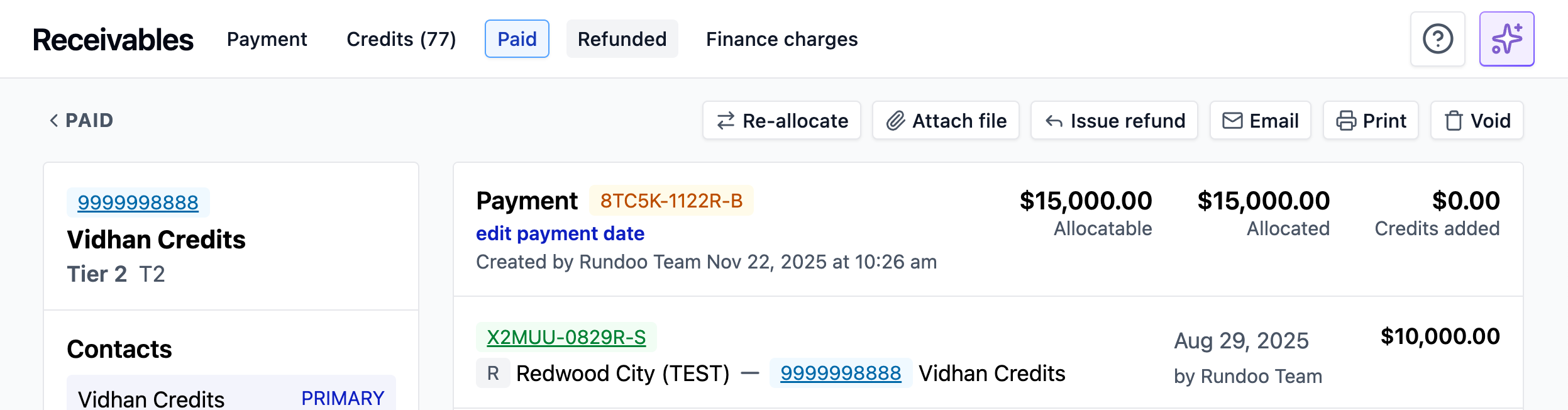
Open any paid receivable and you’ll see three new options: Re-allocate, Void, and Edit payment date.

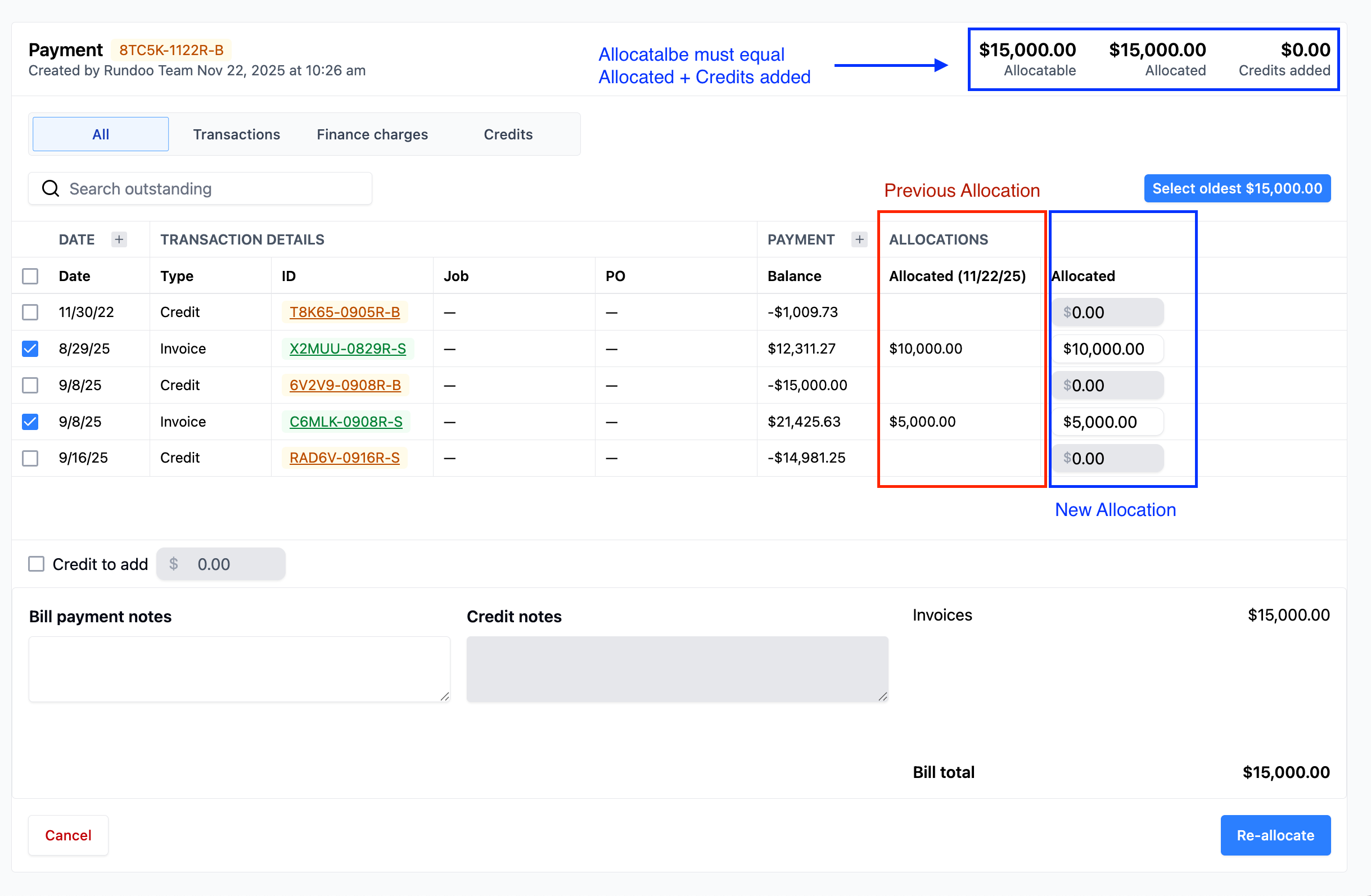
Re-allocate keeps the payment amount the same while letting you choose different invoices to apply it to. Uncheck the wrong ones, select the right ones. Any eligible discounts still apply automatically. For example, a $500 payment can move from five small invoices to one large invoice that qualifies for your 2% early payment discount.
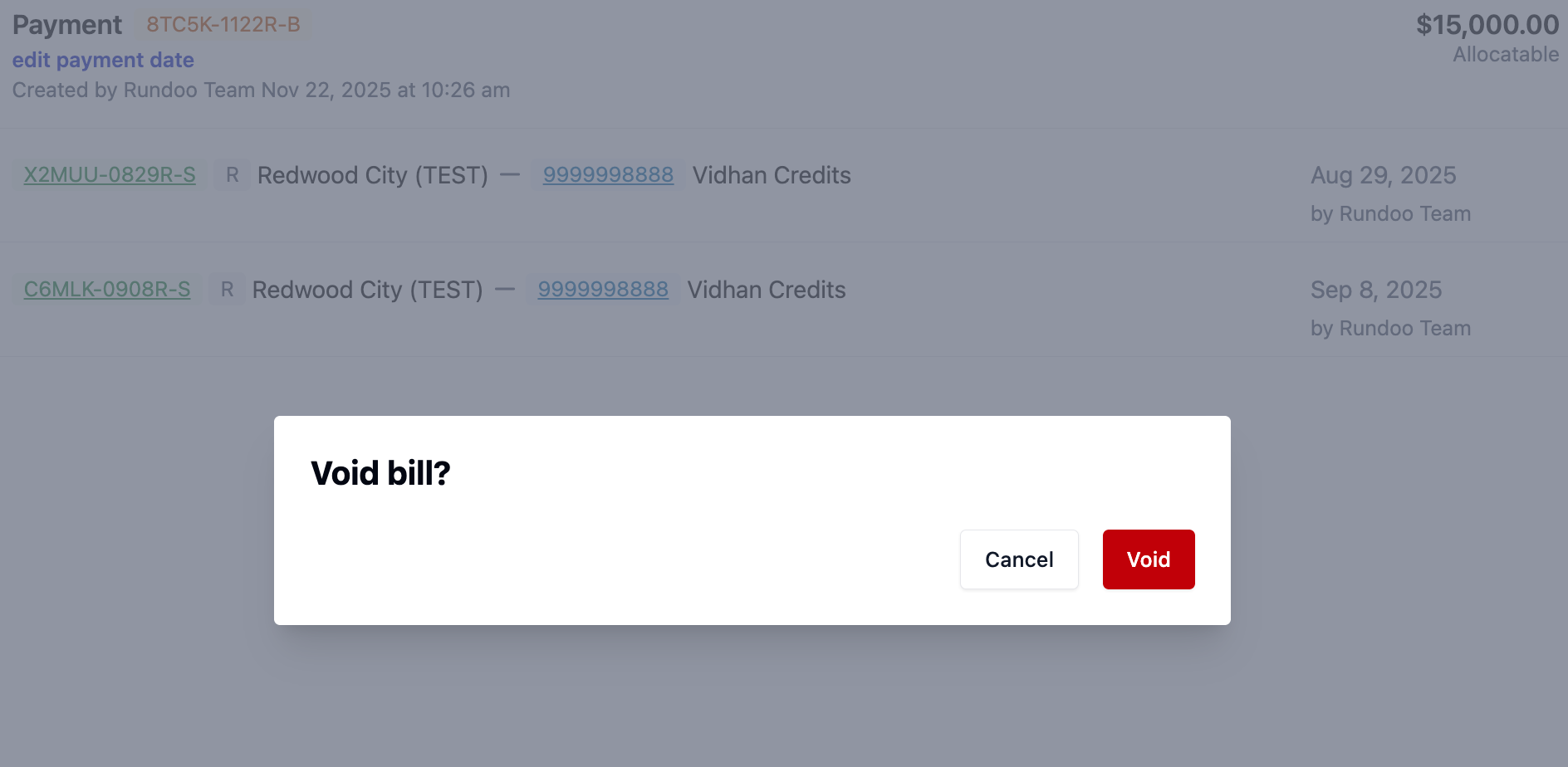
Void removes the payment entirely from your system. If it was a card payment, Rundoo will process the refund automatically. Use this when payment was entered on completely the wrong customer account.
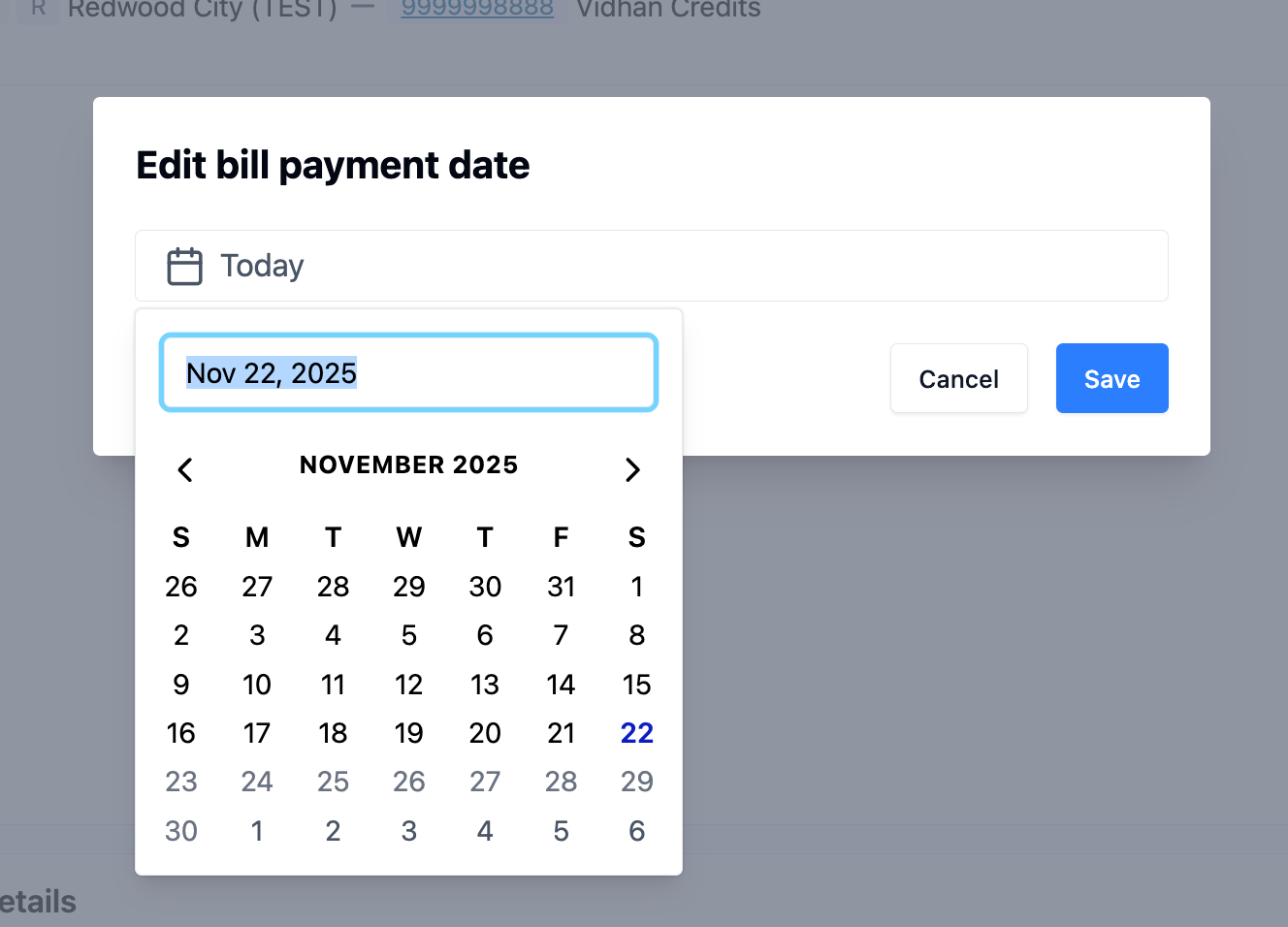
Edit payment date opens a calendar where you can select when the payment actually arrived. This matters when checks take several days to process through the mail or when ACH transfers post on different dates than when you’re notified about them.
Void finance charges works directly from the single finance charge page. Just open it and click void to remove the charge.

🔐 Who can do this?
Only users with the “Void and edit bill payments” permission can access these features. You can set permissions in Admin → Staff → Permissions to control which team members have access.
📦 More small updates
Thermal receipts now follow your “Show Prices” toggle. Turn it off and prices won’t print on receipts.
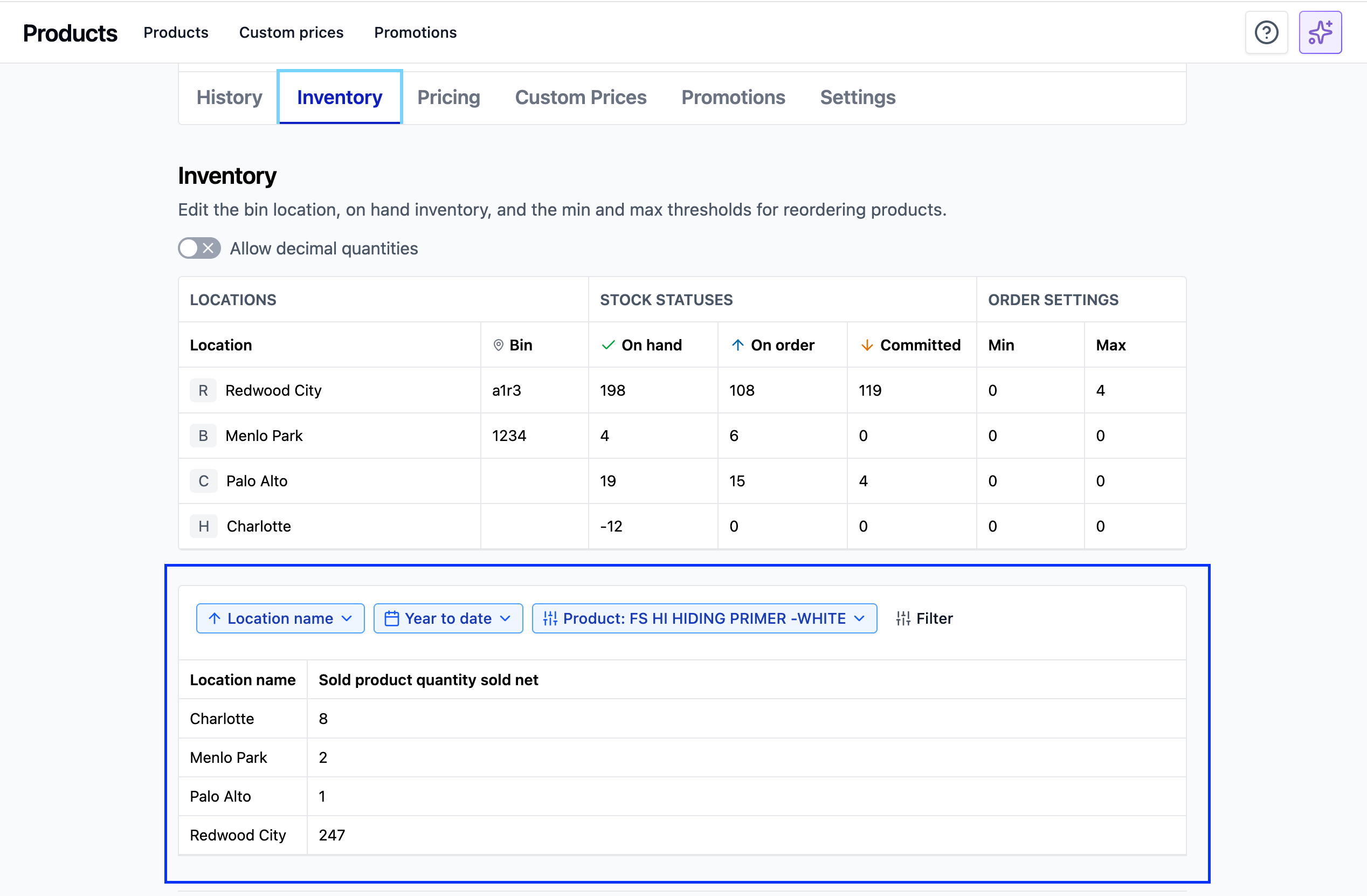
Product pages now include a new table in the Inventory tab showing year-to-date sales by location for that product. You can now compare inventory on hand and sales quickly.
Sales Clerk filter works in Report Builder for reports using Sales, Sold Products, or Transactions as base data.
Questions? Visit our idea board to share feedback or request features.
Have you tried Rundoo AI this week? Let us know what worked well and what didn’t. Reach us at support@getrundoo.com