

📊 Special Friday Update: Reports have moved!
Your reports have moved to a new location with new customization options.

📰 What’s New with Rundoo?
All of your reports have moved to our new and improved Reports tab under “Default Reports.”
The reports you use every day will still be there with the same data. They will be leveraging our enhanced flexible Report Builder tools, but the information that matters to you stays the same.
🤔 What Does This Mean?
Here’s what’s changing:
Your reports are moving from their old tab into “Default Reports” inside Reports. The layout will be different, but the data remains identical.
Some reports have been split into two versions:
Cash Register is now “Cash Register Details” and “Cash Register Summary”
Payments is now “Payment Details” (shows individual payment transactions) and “Payment Summary” (shows payment totals and breakdowns)
Example:
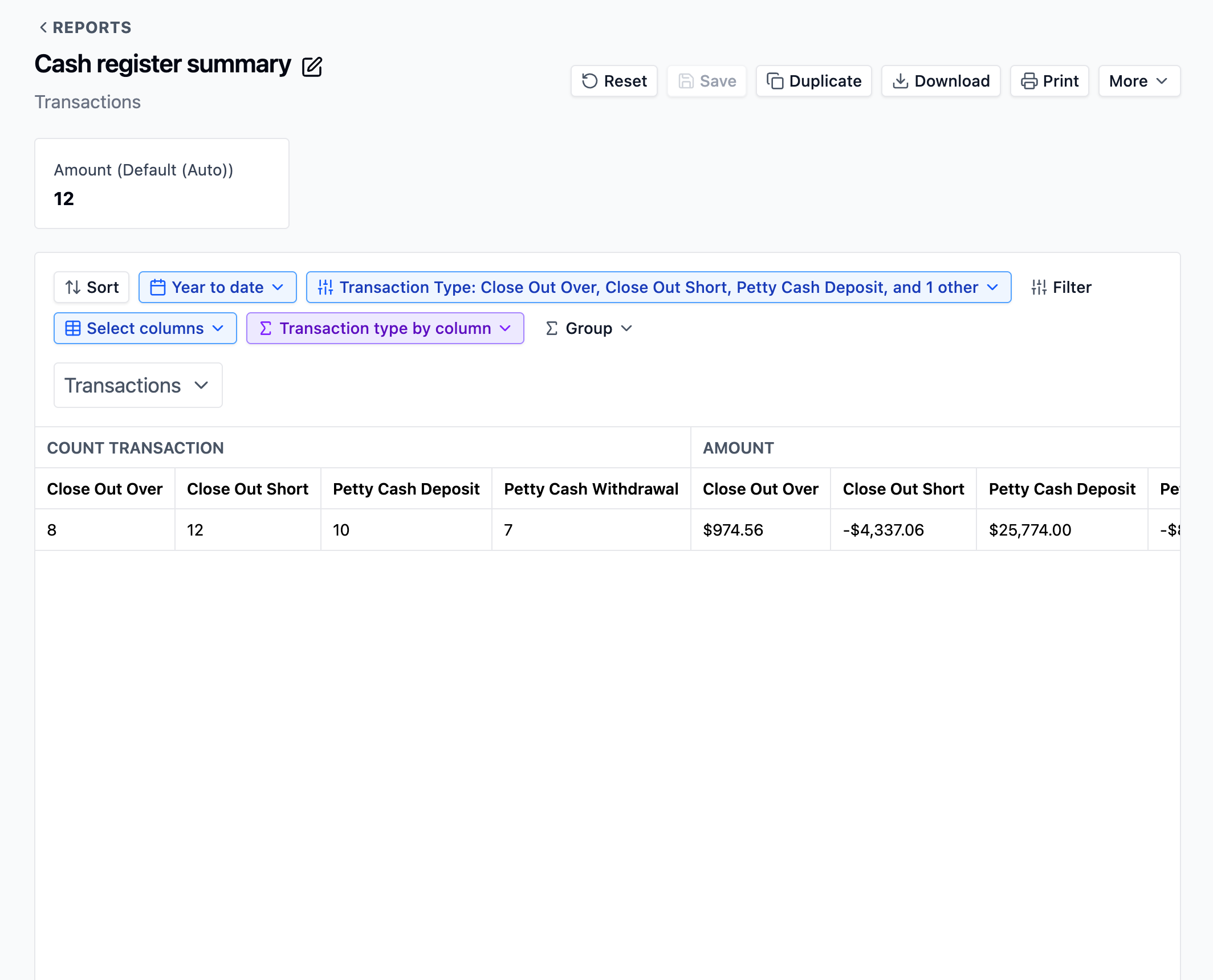
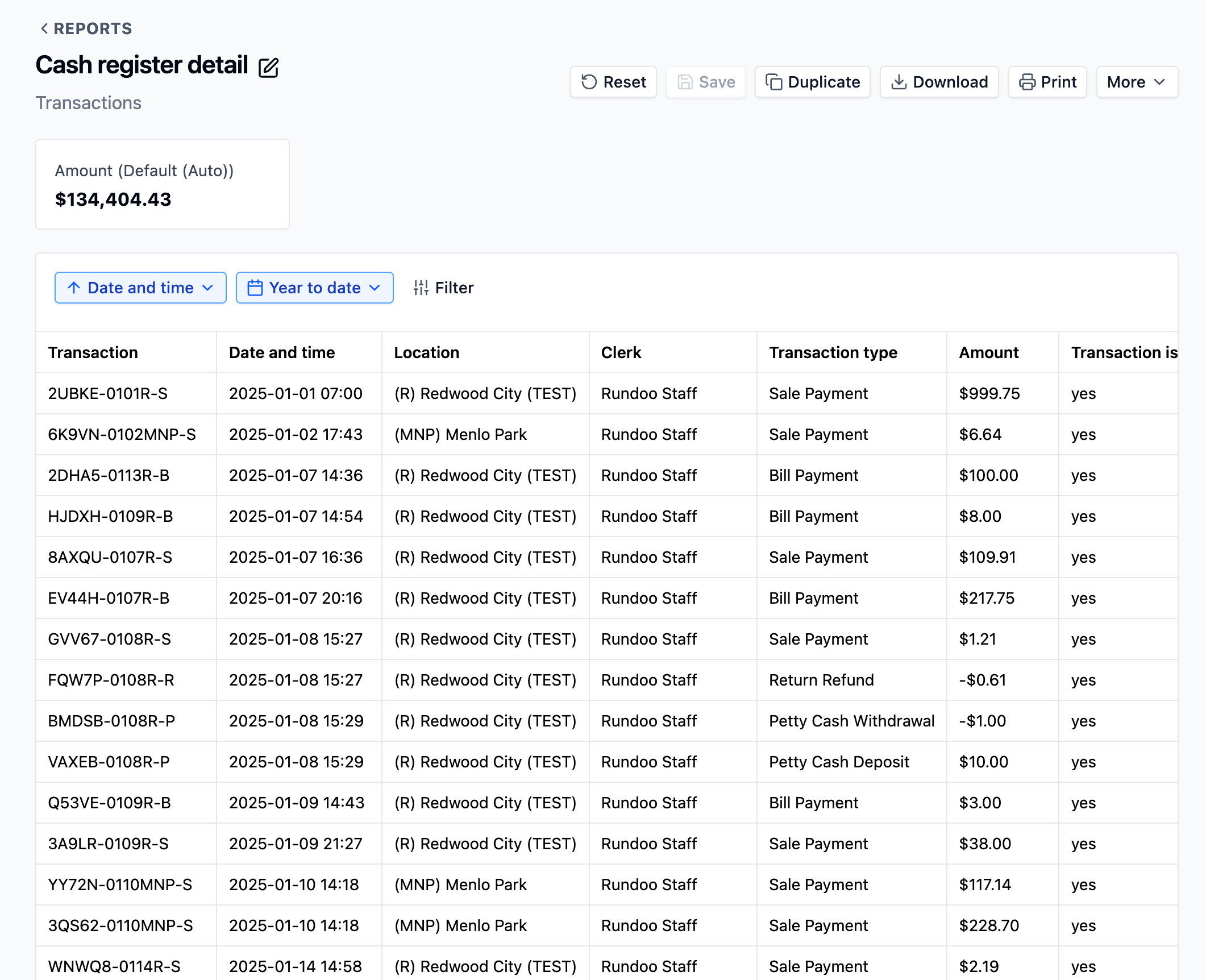
This separation lets you choose between seeing line-by-line details or summary totals.
💡 Why Is This Important?
The new Report Builder gives you control over your reports.
You can now:
Show or hide columns based on what you need to see
Add additional data fields that weren’t available before
Duplicate and customize reports to match your specific needs
Build your own reports from scratch when our default reports don’t cover what you need
Save your customized versions for repeated use
➡️ Head to the Rundocs to learn more
We have a detailed guide on how to get set up with your own custom, tailored reports that you can access at the click of a button.
Check it out here: Rundocs: Creating Custom Reports
Features that we demonstrate include:
Creating reports from any dataset in your system (Aging, Sales, Inventory, Customers)
Flexible data aggregations by row and by column
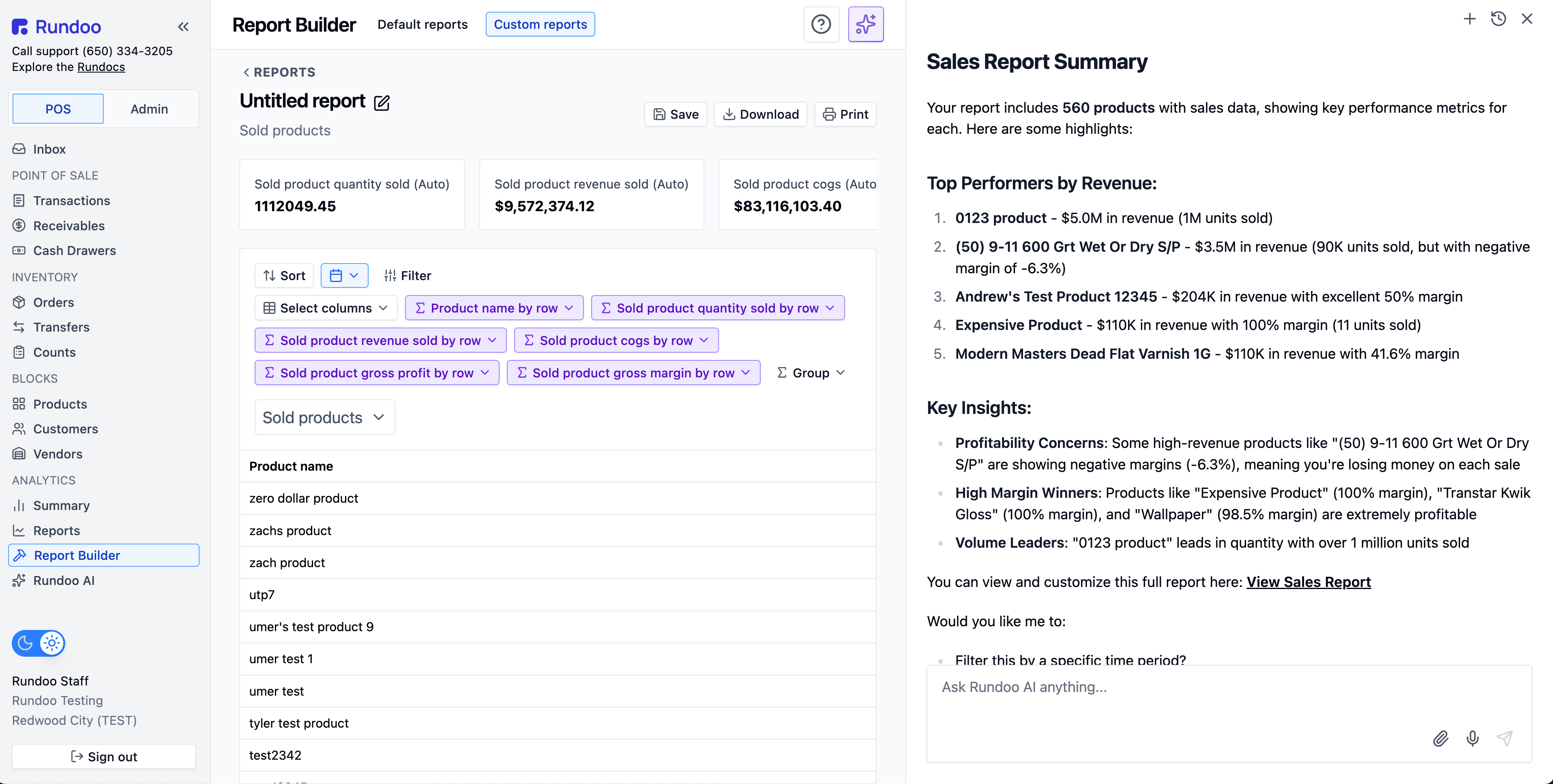
🤖 Using Rundoo AI to make reports
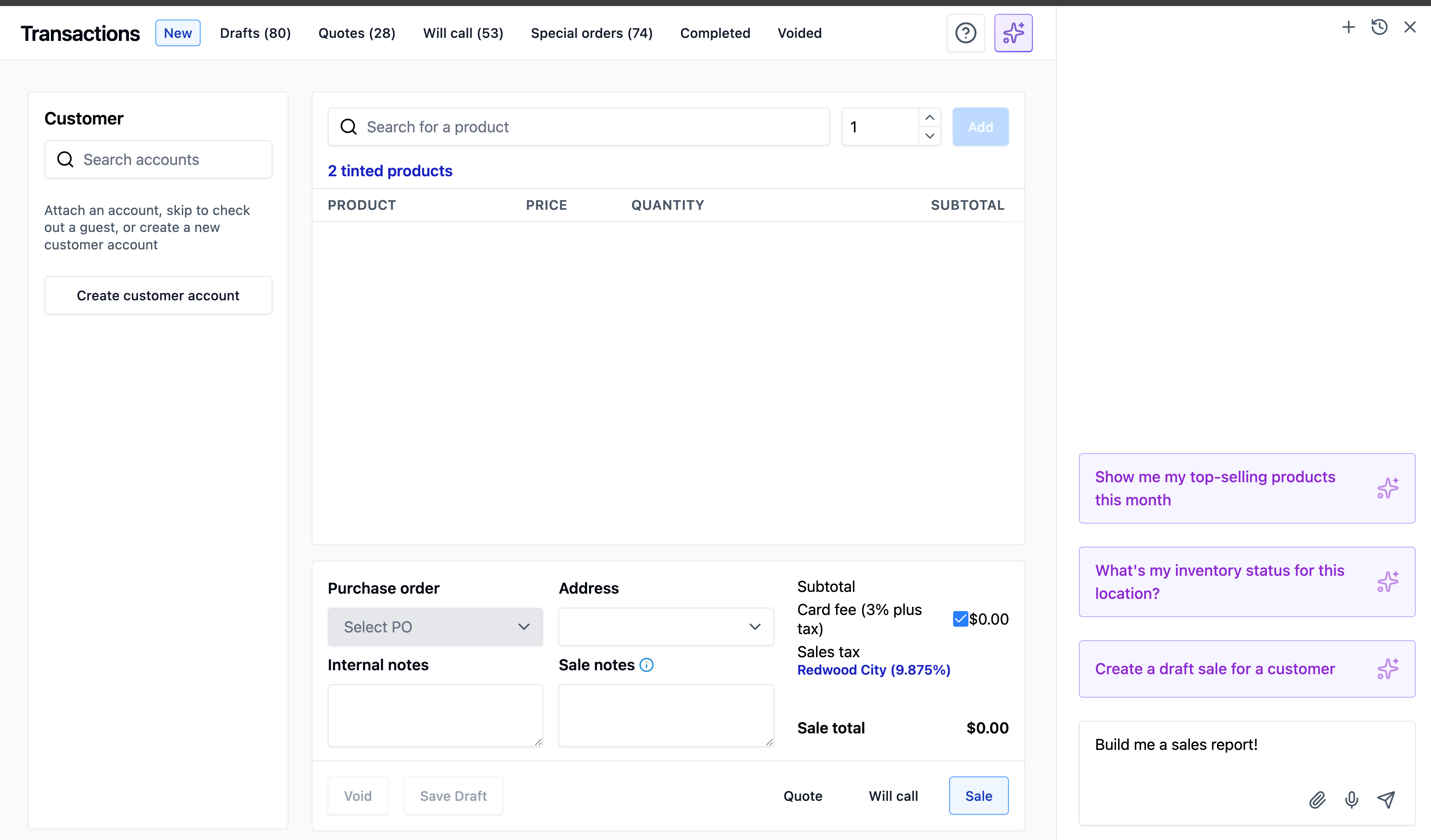
The best and fastest way to make custom reports is to ask Rundoo AI. As we discussed in last weekend’s primer, Rundoo AI allows you to use simple natural language instructions to construct reports.
Simply ask it the details you want in the sidebar and watch the magic happen!
📝 Important Notes
The reports you already use are already in Default Reports. The customization features are available when you need them, not required. Your historical data and report access remain unchanged.
❓ Questions?
This is a significant change to how reports work. Our support team is ready to help you navigate the new system.
Reach out if you need assistance finding a specific report or learning how to customize one.
Need help? Contact our support team at support@getrundoo.com