

Rundoo Primer: Teach Your AI Daily What to Watch For 🎯
This week: Smarter AI Daily reports, a faster way to pay off statements, and a few small wins.

What’s New with Rundoo?
Make Your AI Daily Smarter 🎯
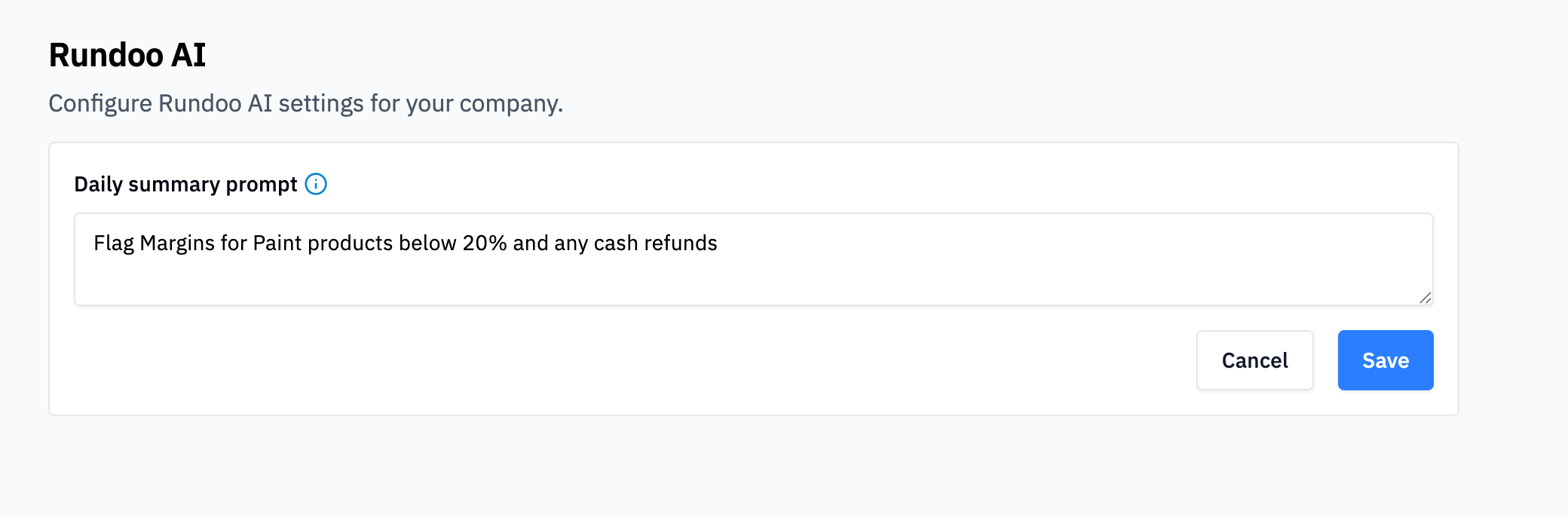
You can now customize what Rundoo AI Daily focuses on.
What changed:
Head to Admin and you’ll find a new text box where you can tell the Daily what matters most to your store. Your daily report will then highlight exactly what you asked for.
Why this matters:
Every store is different. Maybe you want to keep a close eye on contractor account balances. Maybe you’re watching margins on a specific product line. Maybe you want alerts when inventory on a key SKU drops below a threshold. Now you can tell the Daily what to look for.
Tips for writing a good prompt:
Be specific. Instead of “watch my margins,” try “flag any sale where margin is below 25% on interior paint.” Instead of “track inventory,” try “alert me when any Purdy brush SKU drops below 10 units.”
The more specific you are, the more useful your Daily becomes.
Pay Statement Balances in One Click 💵
We’ve made it easier to collect payments from balance forward customers.
What changed:
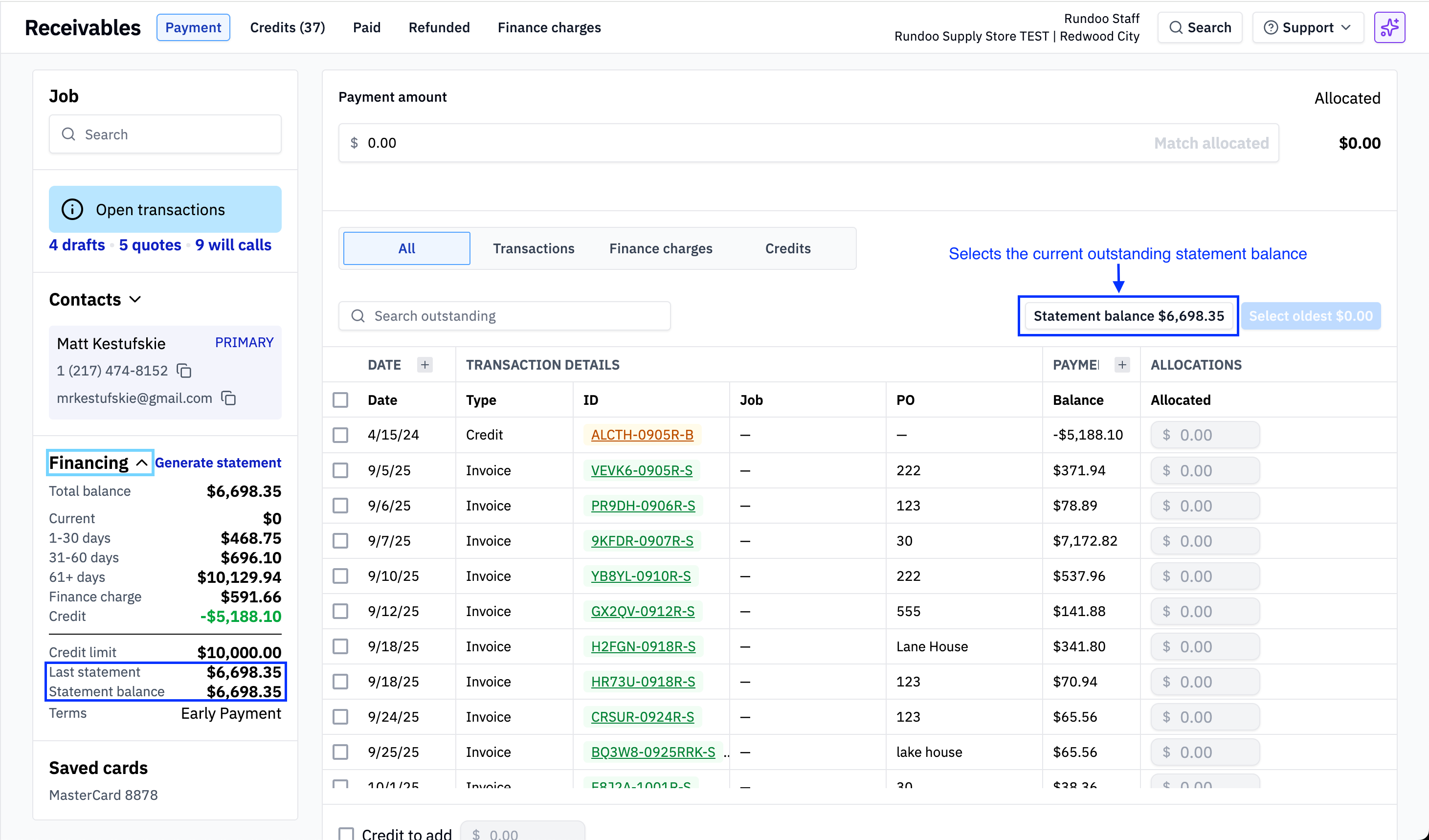
In the Receivables tab, you’ll now see two numbers in the left pane:
Last Statement Balance — A snapshot of what the customer owed when you generated their last statement
Statement Balance — What they currently owe from that statement (this updates as they make payments)
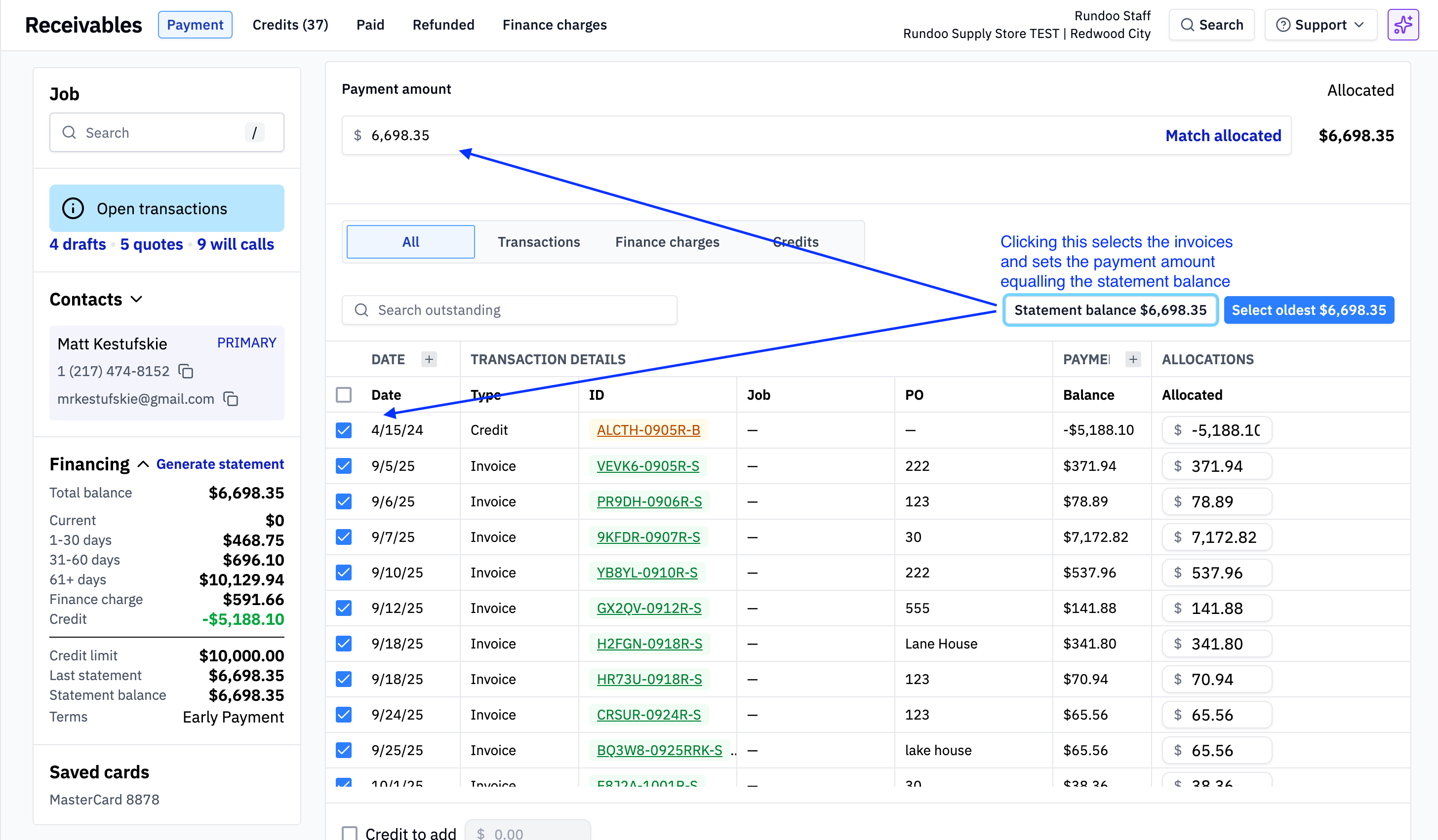
Below that, there’s a new “Statement Balance” button. Click it, and Rundoo automatically selects and allocates invoices totaling the statement balance. No more manually picking invoices one by one.
Why this matters:
Many of your contractor customers pay in blocks. They don’t want to match payments to specific invoices — they just want to pay what they owe from last month’s statement. This button does the math for them (and for you).
What this looks like:
Say a contractor’s last statement was $2,847.32. They come in and say, “I want to pay off my statement.” Instead of scrolling through invoices and selecting them manually, just click the Statement Balance button. Rundoo selects everything for you. Take the payment and you’re done.
Email Will Call Receipts and Packing Slips 📧
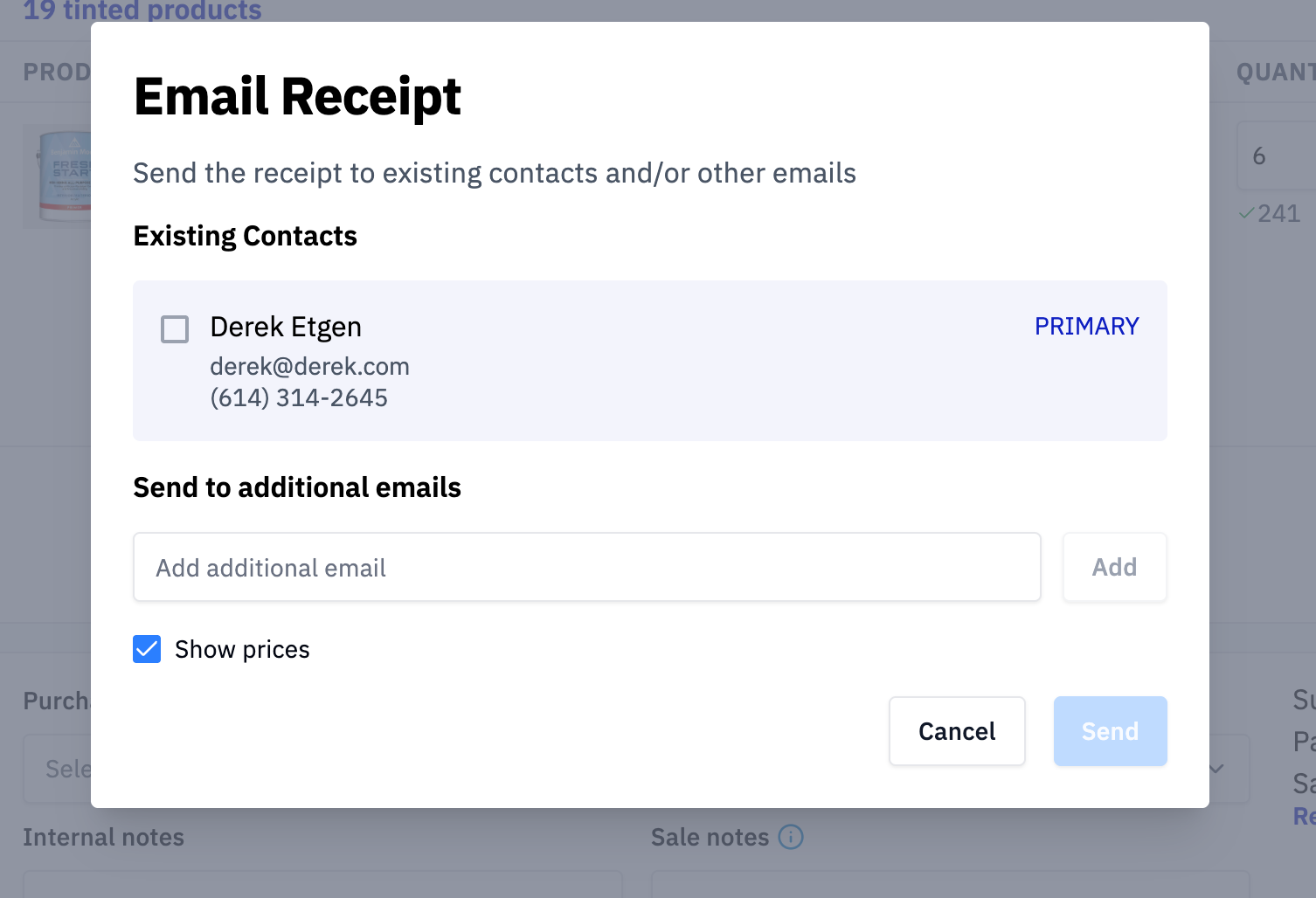
You can now email will call receipts and packing slips directly from Rundoo.
What changed:
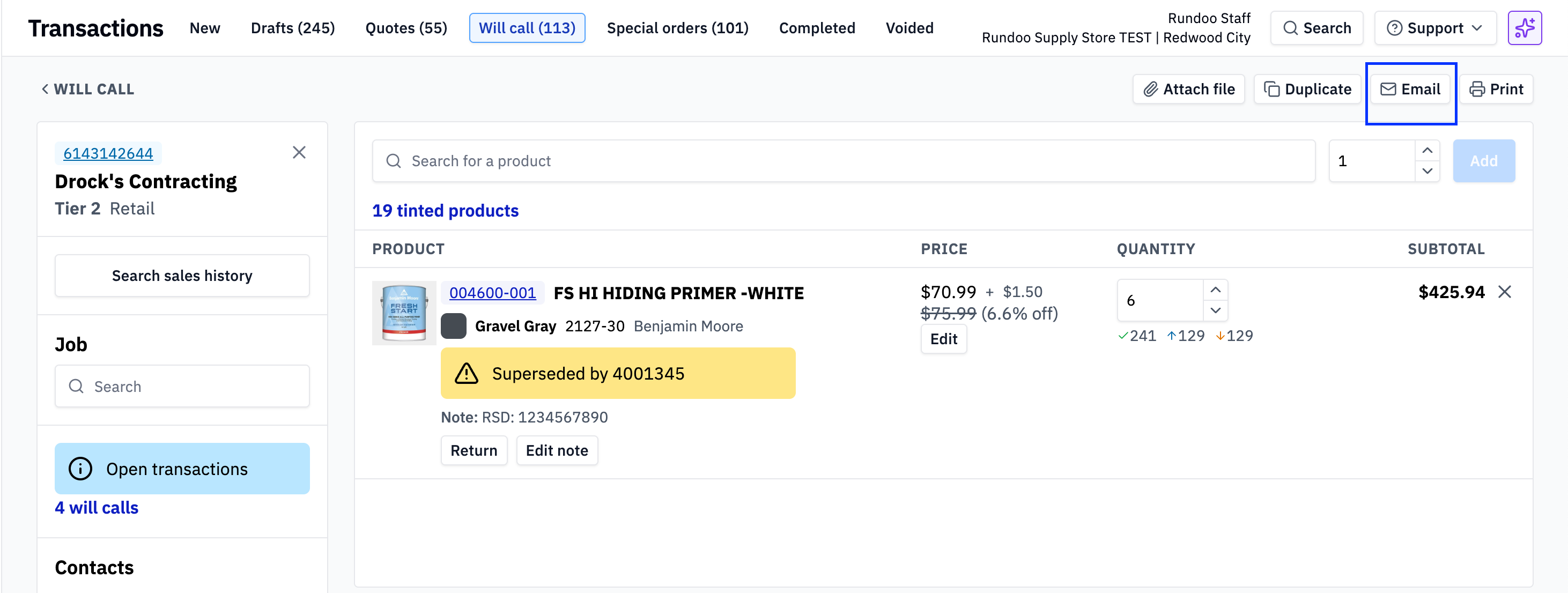
On the Will Call screen, there’s a new Email button in the top right corner. Click it, choose a recipient, and send the receipt or packing slip. This works the same way it does for completed transactions and quotes.
Why this matters:
Contractors are busy. They might need a copy of their packing slip before they pick up an order, or they might want a receipt emailed for their records. Now you can send it without printing and scanning — and you can send it to whoever needs it, not just the customer on file.
Remove a Sales Rep from a Customer 🧹
You can now fully remove a sales rep from a customer profile — not just swap them for someone else.
What changed:
Previously, if a customer had a sales rep assigned, you could only change it to a different rep. Now you can remove the assignment entirely and leave it blank.
Why this matters:
Sometimes a customer no longer needs a dedicated rep. Maybe the rep left. Maybe the relationship changed. Now you can clean up your data without assigning a placeholder.
Coming Soon 🔜
A few things we’re working on:
Units of Measure — Buy, sell, and stock products in different units. Buy caulk by the case, sell it by the tube. Stock chain by the roll, sell it by the foot.
Spiffs — Track and manage sales incentives
Special Orders on a Single Invoice — Right now, special order items split onto separate invoices. Soon you’ll be able to keep them on the same invoice as regular items.
Have thoughts on these features? Drop a note on our idea board at rundoo.nolt.io. Your feedback shapes what we build.
Questions about any of these updates? Reply to this email or reach out to support we read every message.
Happy selling! 🛠️