

✏️ Rundoo Primer: Edit Special Order Tickets
Change items on a special order without starting over. Plus a way to skip extra fees like the Benjamin Moore surcharge, printable drafts, and line items that stay together.

Summary 📌
Edit special orders. Change what is on a special order ticket after it is made, with no money moving unless you want it to.
Skip extra fees for the right accounts. Turn off any additional fee, like the new Benjamin Moore surcharge, for a single product at checkout.
Print a draft or quote. Hand a customer a PDF or thermal receipt straight from a draft or a quote.
Cleaner printed documents. Line items no longer split across page breaks.
✏️ Edit Special Order Tickets
What is new with Rundoo?
You can now edit the cart on a special order ticket that already exists. Add an item, change a quantity, or take an item off. Moving money is a separate choice, so changing the cart never forces a deposit or refund on its own. You can also save edits to the internal notes on their own, without taking a deposit.
What does this mean?
Special orders change all the time. A customer calls back and wants one more item. Or they decide they need fewer. Before, that was hard to handle once the ticket was made. Now you make the change right on the ticket. Here is the key part: changing the cart and moving money are not tied together. You can add or remove items and just save, with no money changing hands. When you do want to settle up, you pick how at save time:
Plain save to record the change and move no money.
Additional deposit to collect more when the total went up.
Deposit refund to give money back when the total went down.
Why is this important?
Say a paint store special orders 10 gallons of a Benjamin Moore product for a contractor. The next day the contractor wants 5 more gallons. You add them to the same ticket and take a little more deposit. Or a farm and feed store special orders a gate and some fence wire, and the customer decides to drop the gate. You lower the quantity and refund part of the deposit. Either way, the ticket stays as one clear record instead of a stack of separate sales.
This builds on the partial closeouts feature from a recent Primer.
What does this look like?
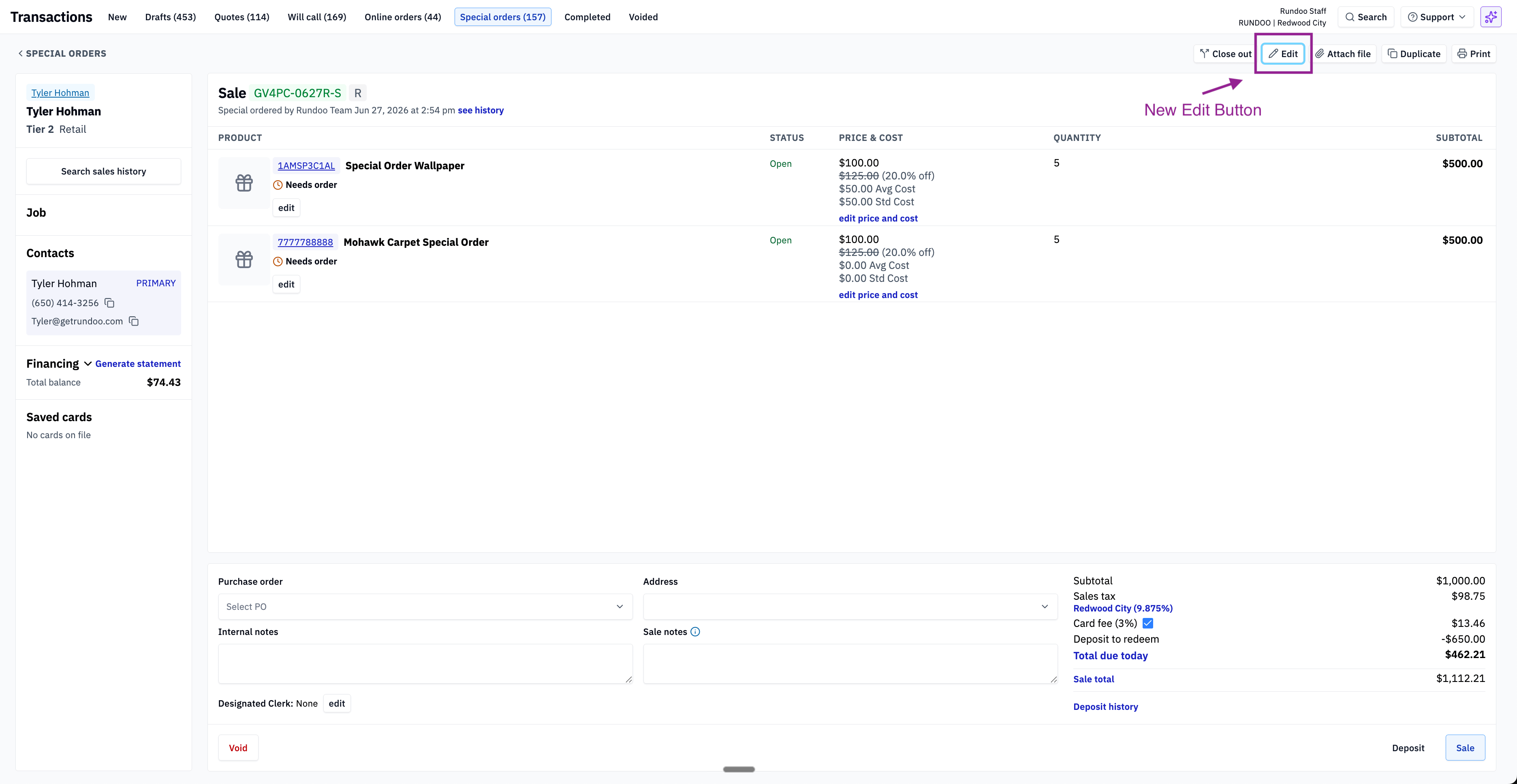
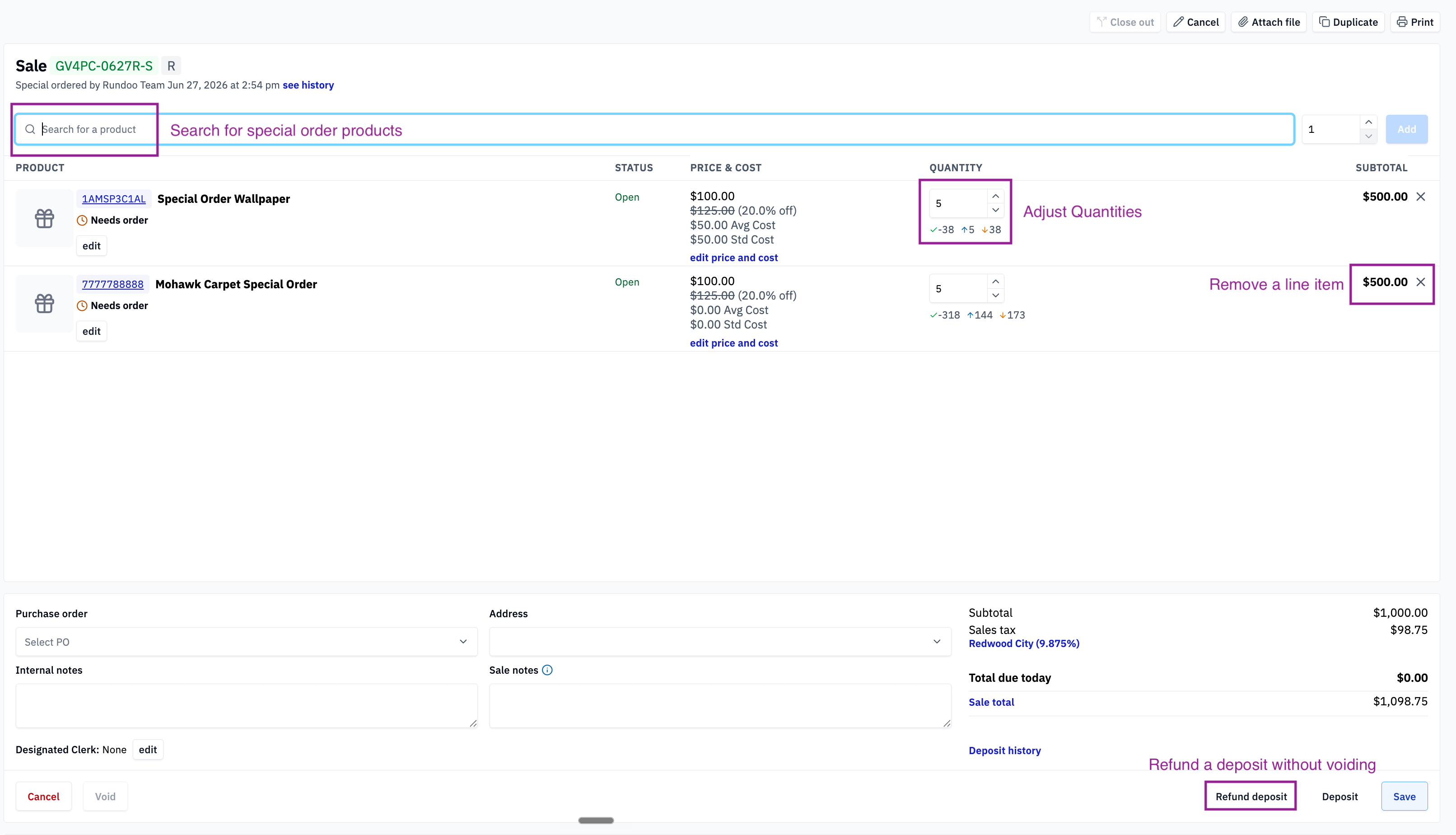
A couple of limits to know for now. You can only add special-order products to the cart today. Adding stock items and returns is something the team is working on next. Also, items that are partly or fully closed out cannot be removed, because the ticket needs to keep the full record of those closeouts.
Thanks to Ozair and team for building this.
🏷️ Turn Off Extra Fees for the Right Customers
What is new with Rundoo?
You can now turn off any additional fee on a single product right at checkout. A product can carry a fee for most customers while skipping it for the accounts that should not pay.
What does this mean?
A lot of you were recently hit with a new Benjamin Moore surcharge, and that is a good example of where this helps. Some customers are not supposed to pay extra fees like that. A national account or a customer on contracted pricing usually has those costs already built into their deal. Before this update, the fee applied to everyone, with no clean way to take it off for just those accounts. Now there is. At checkout, you remove the fee on that product for the customer in front of you, and everyone else still pays it.
Why is this important?
Say a paint store serves a national account and a few contracted price customers. When the Benjamin Moore surcharge showed up, those accounts started getting charged a fee they were promised they would not pay. That is an awkward conversation and a refund waiting to happen. Now you turn the fee off for those accounts at the register and keep your pricing promises without a workaround. And since this works for any additional fee, the same fix covers whatever other fees you set up later.
What does this look like?
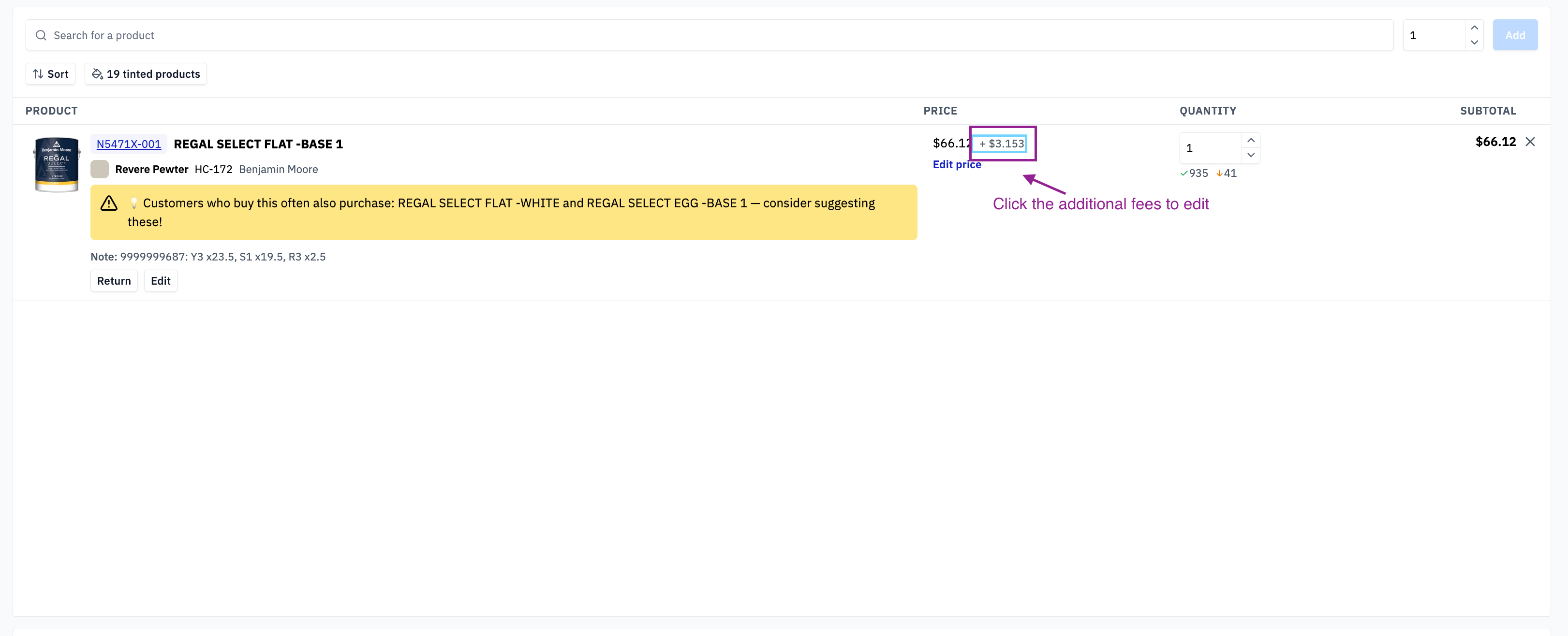
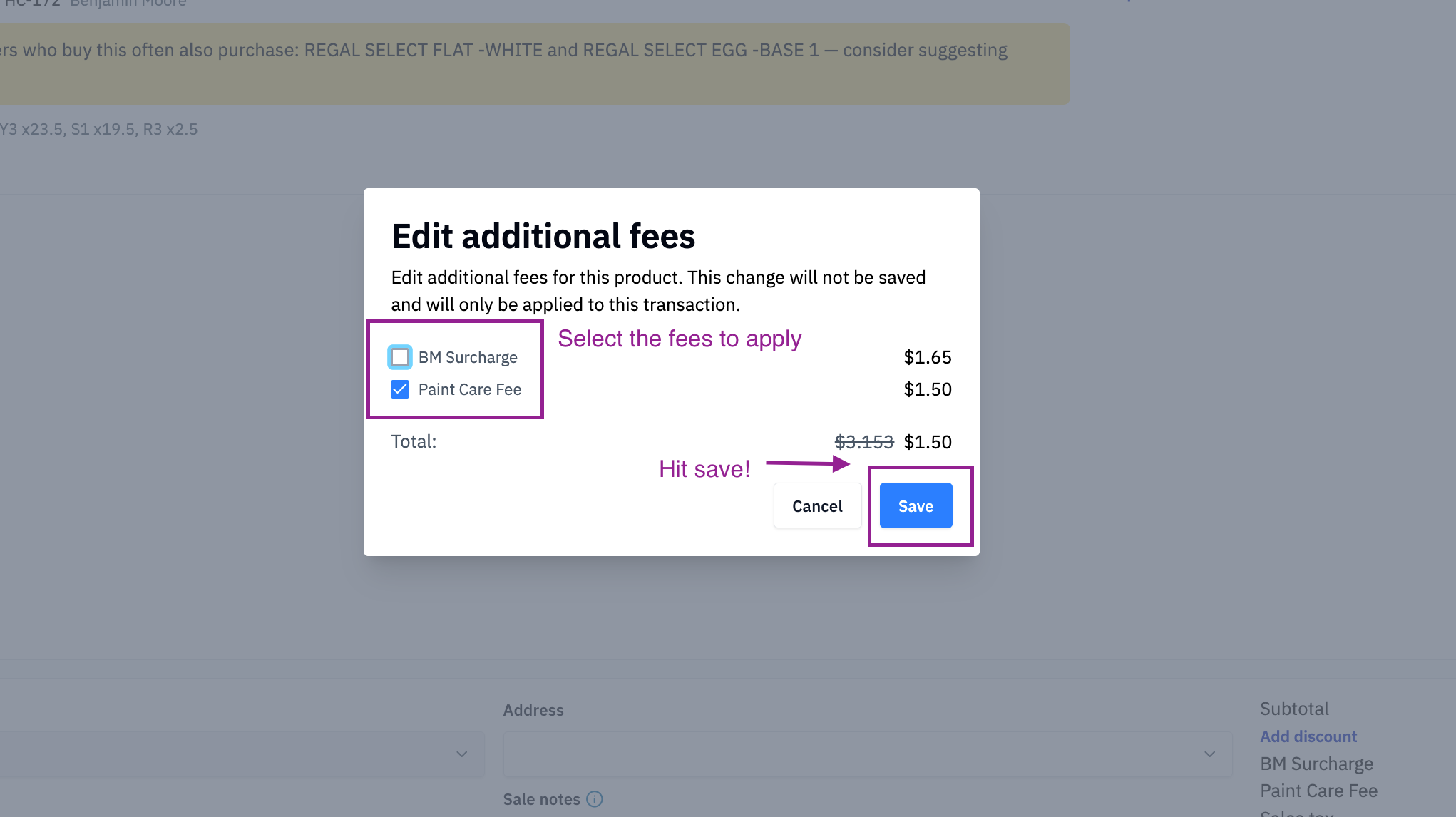

Thanks to Vidya for building this.
🤝 Know a store still fighting its POS? Refer them and we’ll make it worth your while.
If you are reading the Primer, chances are you know at least one independent store still doing it the hard way: closing out by hand at the end of the night, guessing at what’s on the shelf, quietly dreading the busy season.
If Rundoo would genuinely be a good fit for their store, pointing them our way is one of the better favors you can do a fellow owner, and we’ll thank you for it too.
When a store you refer signs with Rundoo and goes live, you get $500. Refer as many stores as you like, and we handle everything from the demo to go-live.
Also New
🖨️ Print a draft or quote
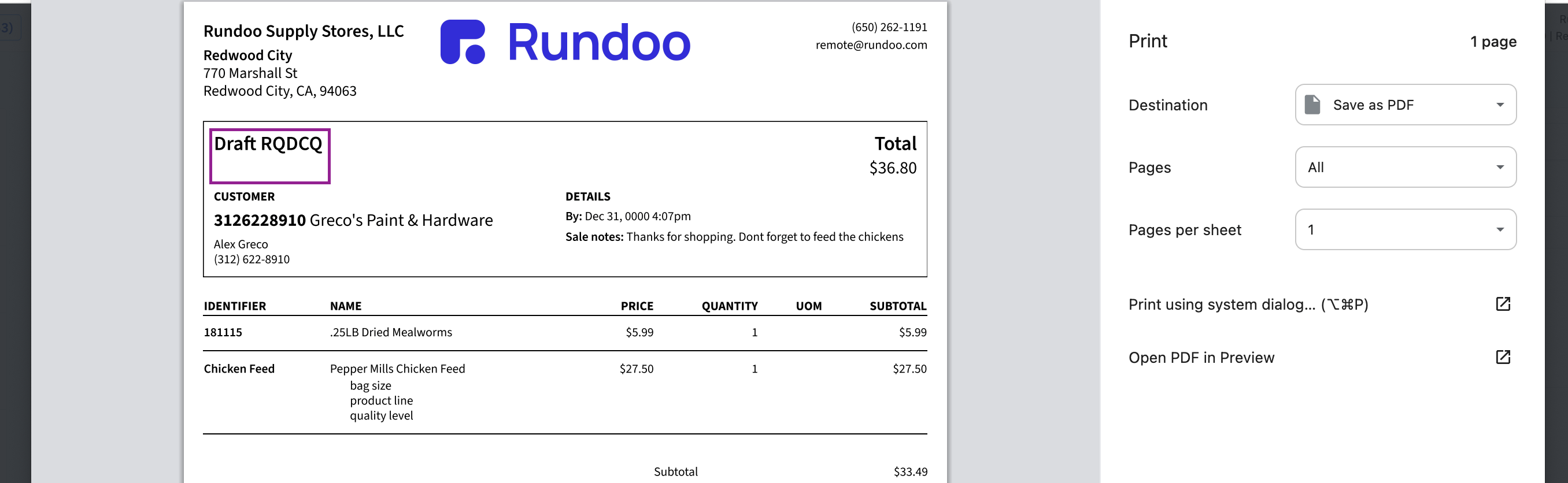
Draft sales and quotes now have a print button in the action bar. You can hand a customer a PDF or run a thermal receipt straight from either one. A printed draft says “Draft,” not “Sale,” so it is clear the order is not final yet. This one was a popular request, open since January 2025.

📄 Line items stay together when printing
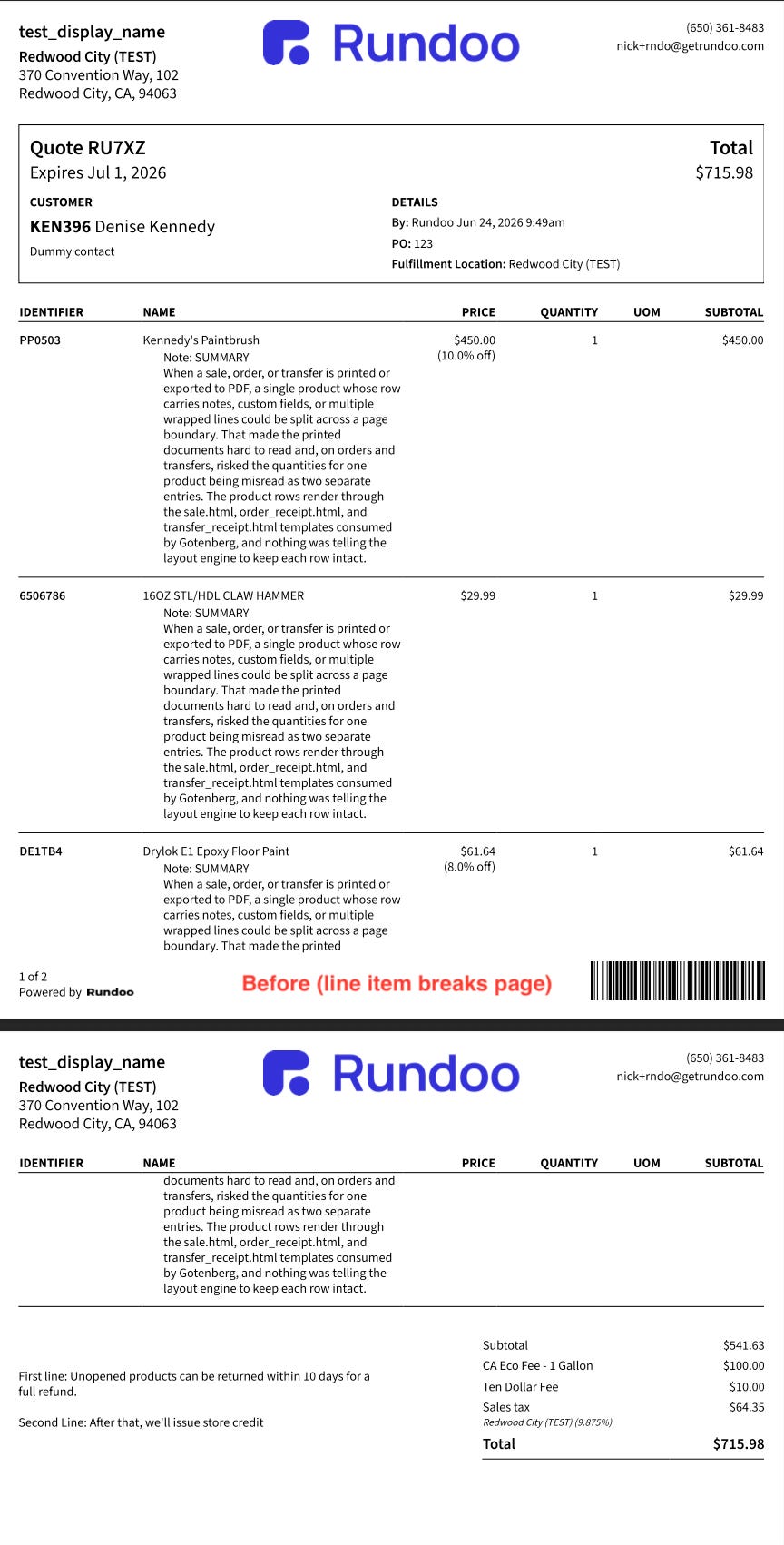
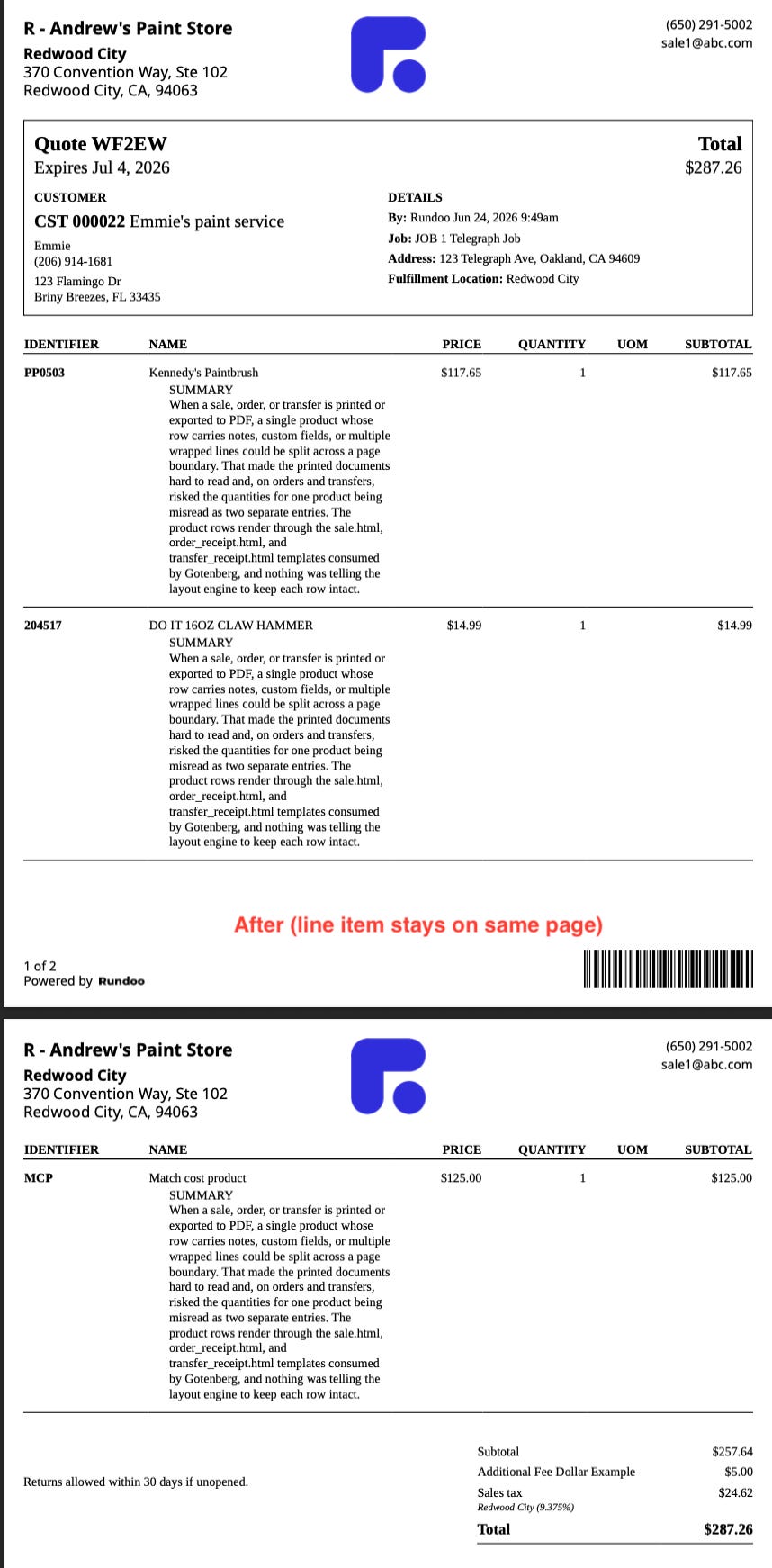
On long invoices, sales orders, and POs, a single line could break across two pages. The top of the row sat on one page and the bottom landed on the next. Now each line item stays whole on one page, so your printed documents are easier to read!
Thanks to Kyle for building this.
🎆 Next week, we are taking a short break for the July 4 holiday and will be back in your inbox the week after. Have a safe and happy Independence Day.
Have an idea? Add it or vote at rundoo.nolt.io.
Need a hand? Email support@rundoo.ai.
Want the details? Read the docs at rundocs.com.
Talk shop with other store owners in our community at r/Rundoo.