

New Cash Drawer Integration 💸✨
Automatic Cash Drawer Experience

What is new with Rundoo?
Cash drawers now work in Rundoo!
What does this mean?
Your current cash drawer (very likely!) works with Rundoo now :) Almost all cash drawers have a 24V port in the bottom that you can plug in to the "Cash Drawer / Buzzer" port of your Star thermal printer. This means that the drawer will open when you:
Do a Cash or Check Sale/Bill Payment/Return
Click the “Open Cash Drawer” button in Cash Management
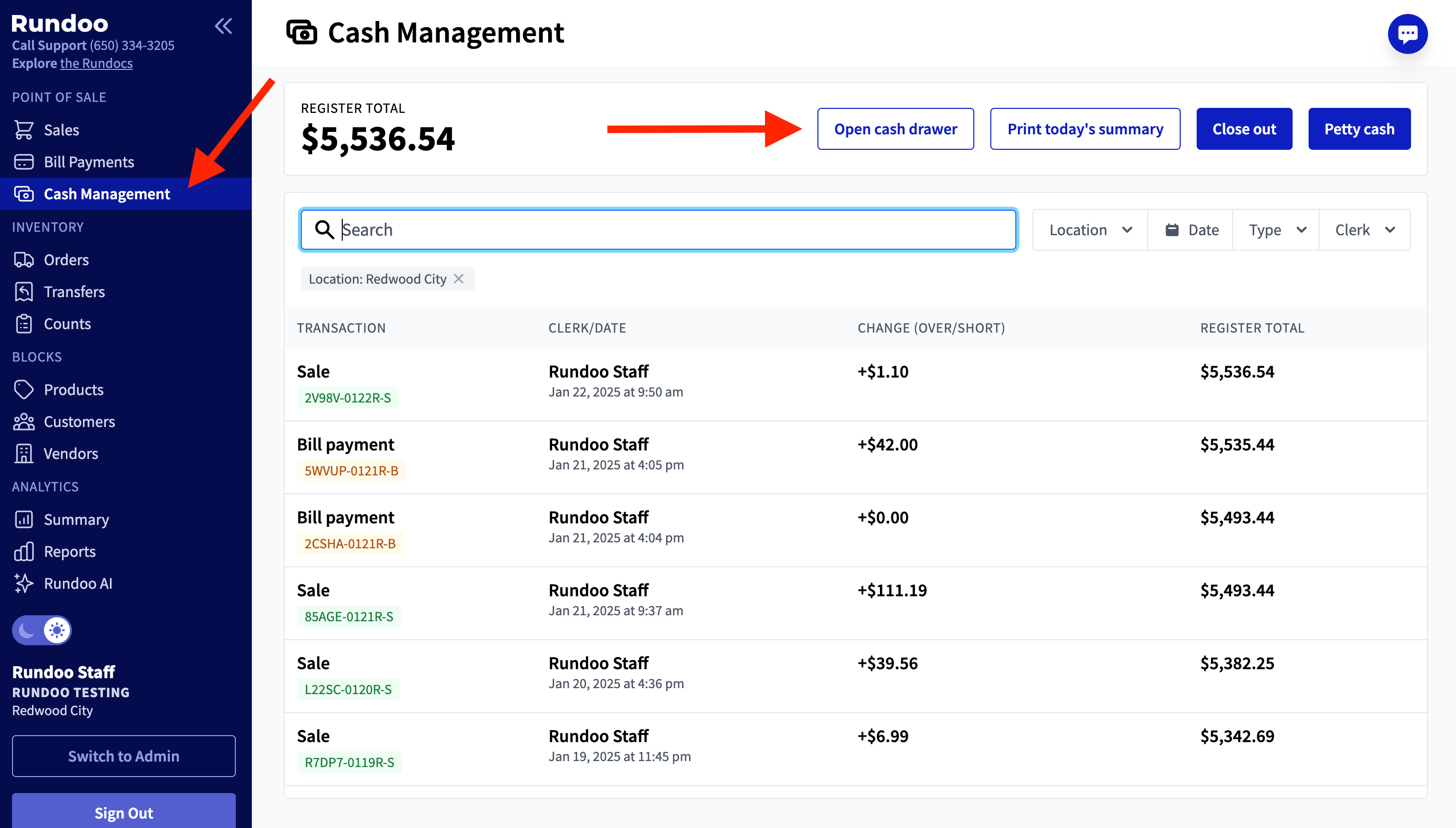
How do you set this up?
Just plug your thermal printer into your cash drawer! If you don’t have a thermal printer, here are two links to order thermal printers that we support and how to set them up:
What else?
Check our this Loom video from Nick that covers this new capability!
What next?
Let us know how this is going with your thermal printer(s) or if we can help 1) order thermal printers for you or 2) troubleshoot any issues. We’re thrilled about this update and are looking forward to more cash drawer enhancements like better cash drawer cash tracking (Idea Board post - feel free to subscribe and follow that progress).