

✅ Faster Permissions, Smarter Search, and Three More Upgrades
Small upgrades to keep your busiest season running smooth

Happy Memorial Day, and welcome to summer. Today we honor the brave men and women who gave their lives in service, and we hope you find a quiet moment to remember them, whether your doors are open today or you’re taking the day to rest. This holiday also marks the unofficial start of your busiest stretch. For a lot of you, summer means full registers, exterior paint jobs in the sun, gardens going in, and a few extra hands on the team to keep up. We rounded up five small upgrades this week to keep your days running smoother, starting with a quicker way to set up those new seasonal hires.
This week at a glance
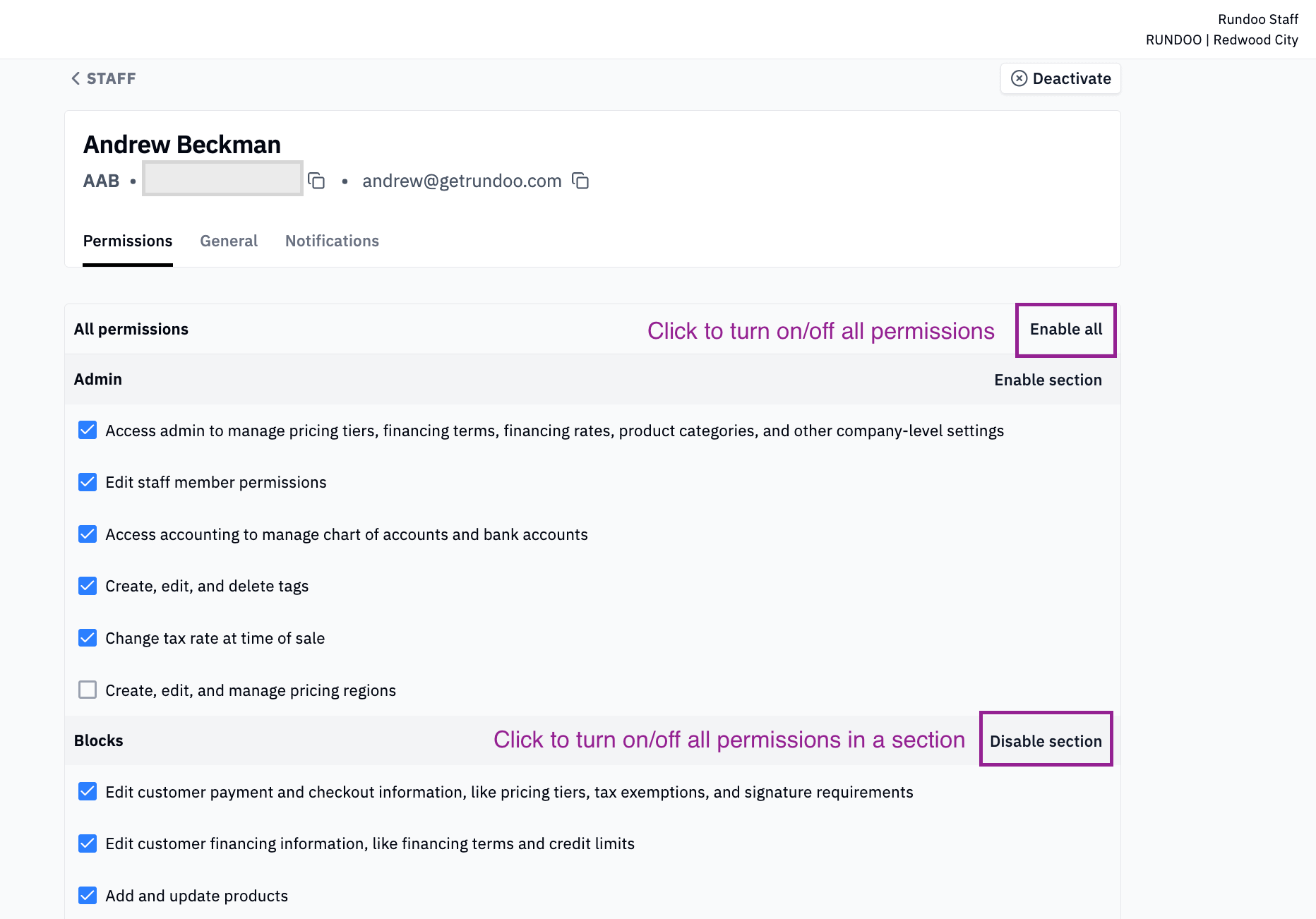
Turn on staff permissions all at once, or by section
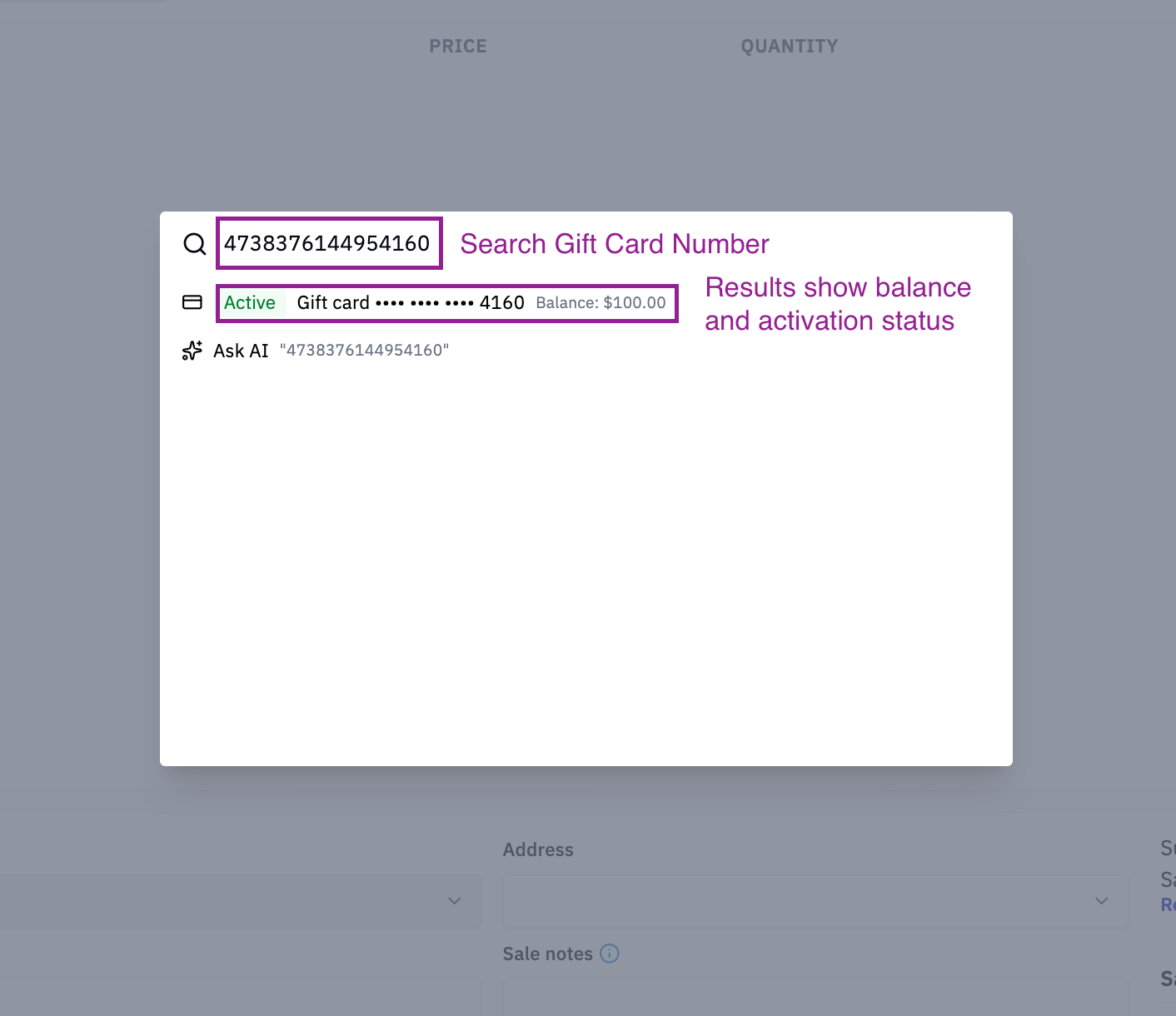
Search gift card numbers right from Omni Search
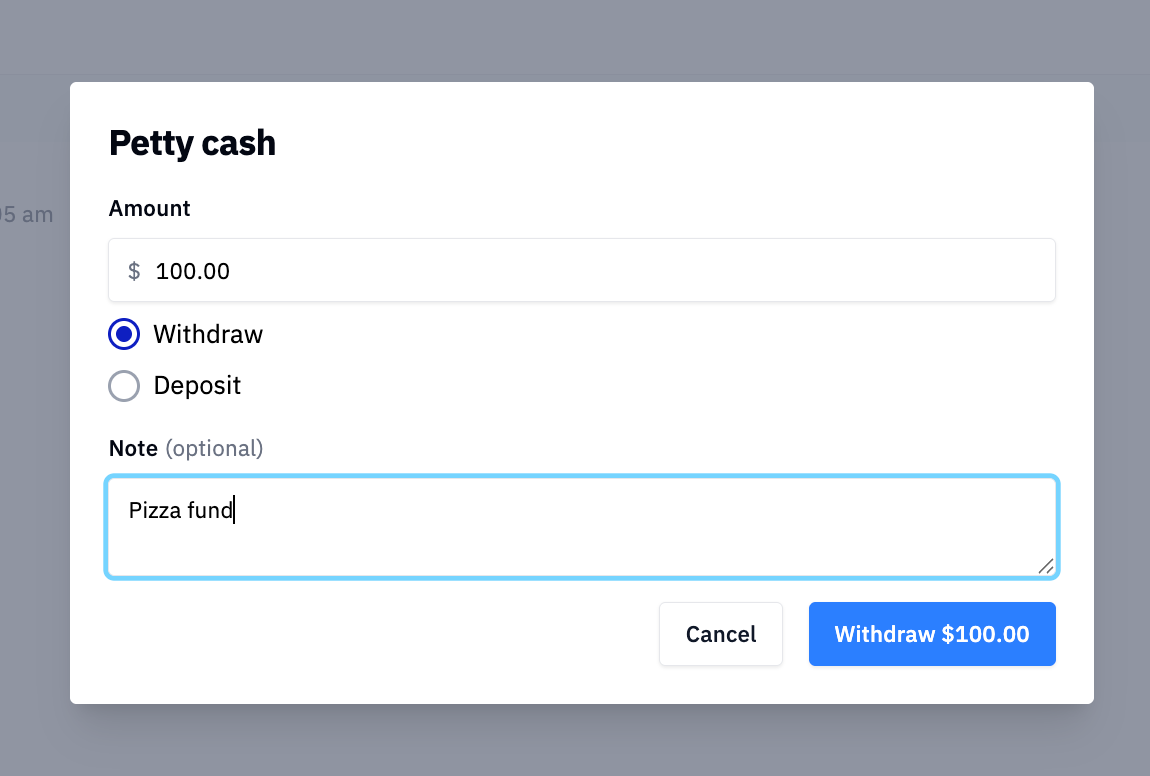
Add notes to petty cash transactions
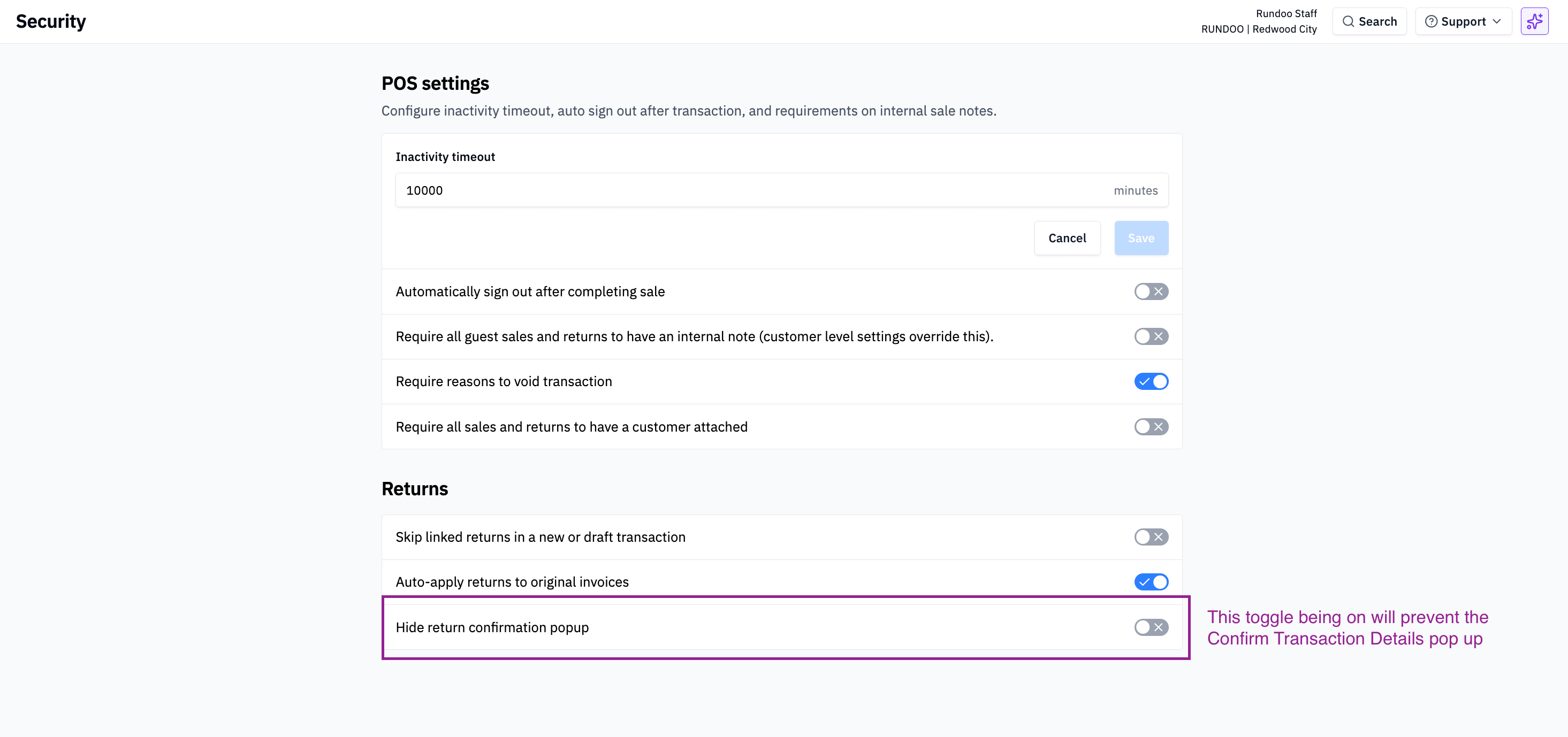
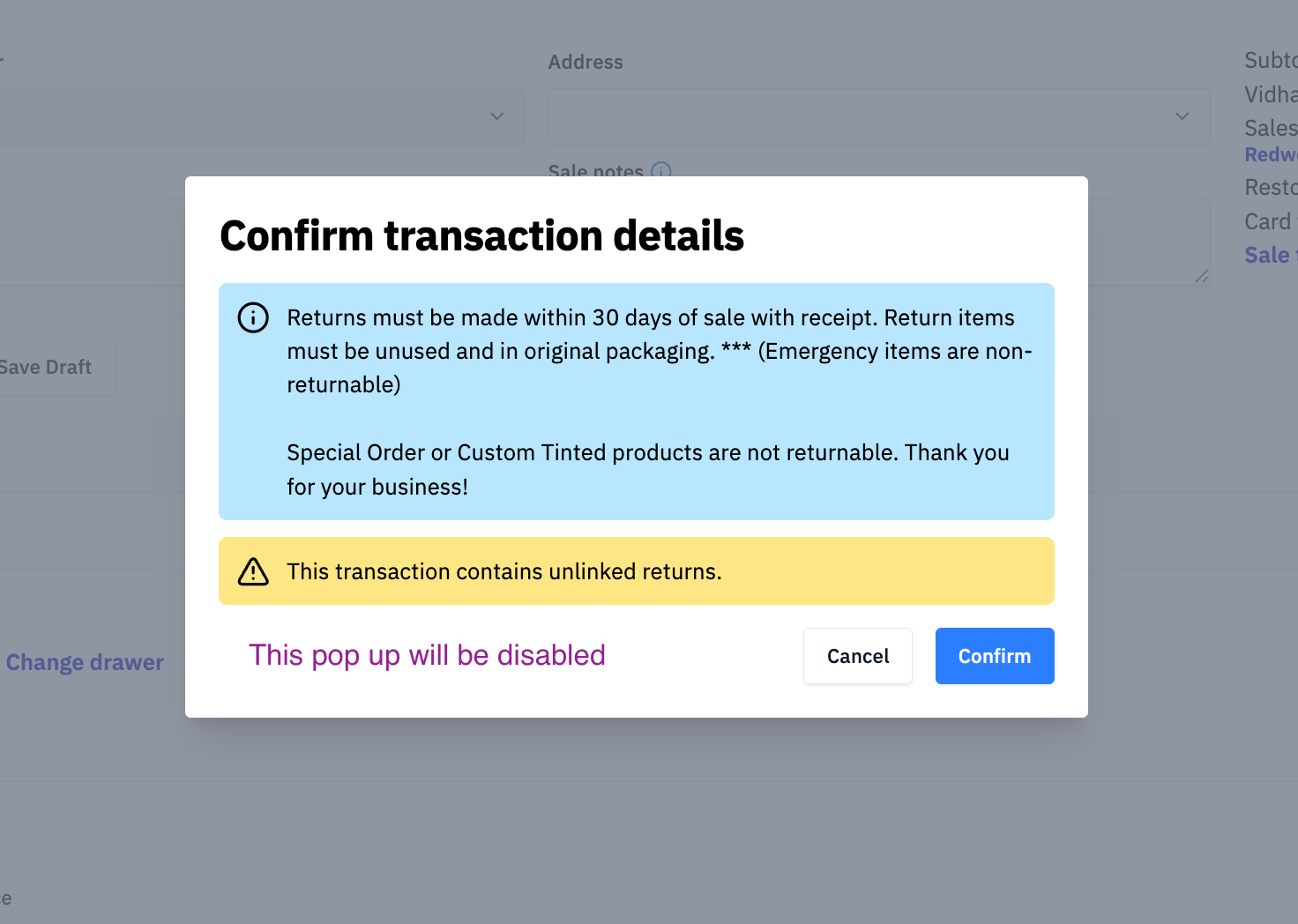
Make the return confirmation popup optional
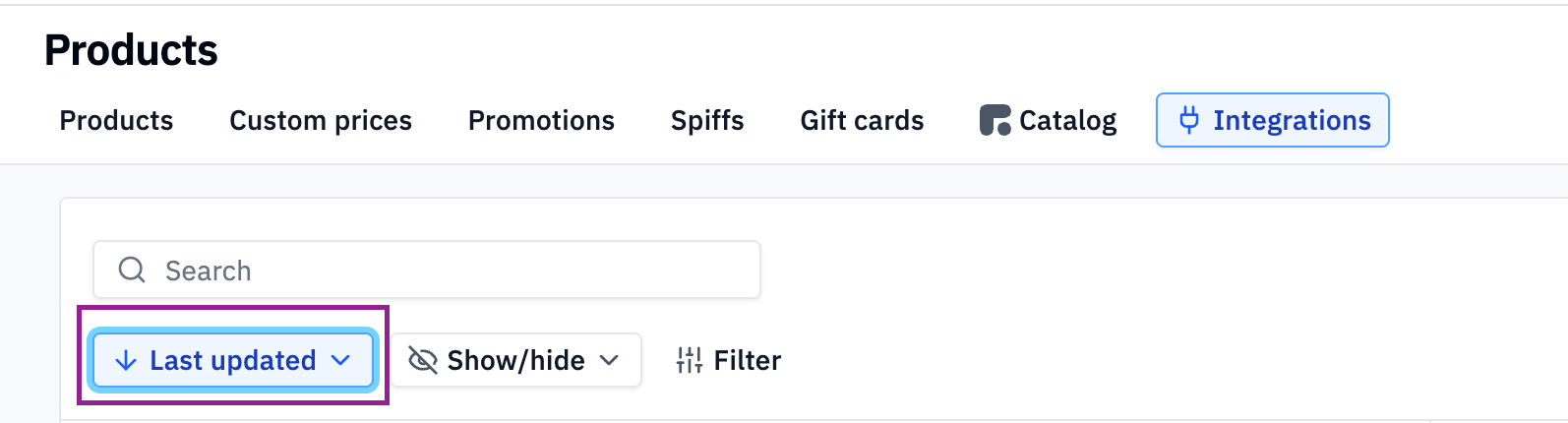
Sort price changes by when Rundoo last processed them
✅ Enable All in Staff Permissions
Setting up a team member used to mean clicking every permission one by one. Not anymore. Head to Admin → Staff → [Name] → Permissions and click Enable All to switch on every permission at once. Need to be more selective? Turn on a whole section instead. Permissions are now grouped into six tidy sections: Admin, Blocks, Customer Management, Inventory, Point of Sale, and Reporting.
Say you bring on a seasonal cashier at your hardware store. Flip on the Point of Sale section, leave the rest off, and you are done.
🎁 Gift Card Numbers in Omni Search
Looking up a gift card is now as easy as searching for anything else. Gift card numbers show up in Omni Search. Omni Search is accessible via the search button in the top right or clicking Control + K, type the gift card number, and there it is.
Picture a customer at your paint store asking about the balance on a card from last fall. A few keystrokes and you have the answer.
💵 Notes on Petty Cash Transactions
Ever look at a petty cash withdrawal and wonder what on earth it was for? Petty cash transactions in the cash drawer now have an optional notes field visible in the report, so you can jot down what the money went toward. Those notes show up in your reports as well.
Now you will know one withdrawal covered the pizza fund and another paid the window washer. Running a farm and feed store? Maybe it went to a quick parts run. Either way, there is a record.

🔄 Make the Return Popup Optional
During a return, a popup used to ask you to confirm the return and show your store’s return policy. Some of you want that step every time. Others would rather skip it. Now it is your call. To turn it off, head to Admin → Security, scroll down to Returns, and switch on Hide return confirmation popup. While we were in there, we tidied up the area, so all your return settings now live in one place.
🏷️ Sort Price Changes by Last Updated At
This one is for stores that are EDI integrated and signed up for Price Changes. Until now, you could only sort by effective date. You can now sort by Last Updated At, which is when Rundoo last processed the update.
If a few weeks slip by before you sit down with your price changes, this makes it easy to spot what is new since your last pass. Handy whether you are updating Wooster brushes, bagged feed, or a pallet of fasteners.
These updates were brought to you by Nick, Jonathan, Ethan, Fahad, and the rest of the Rundoo team. 🙌
Got an idea for something you’d like to see in Rundoo? Drop it on our idea board at rundoo.nolt.io. Need a hand? Reach us anytime at support@rundoo.ai. And you can always find step-by-step guides at rundocs.com.